In this guide
A podcast editor may have a noisy interview to clean, a karaoke track due by Friday, and no budget to test every audio tool. The practical answer isn't to choose a brand from a generic ranking. Start with the recording and the result required, then apply the same listening checks to each option. A clean studio mix, a mastered release, a live recording, and a compressed video file can challenge an extractor in very different ways. This roundup compares the best vocal extractor tools by the source problem each one solves, the workflow each tool favors, and the passages that need careful auditioning before download or publication.
1. Audacity
Audacity remains a strong no-cost option for users who want local control rather than a browser upload. The open-source editor works across platforms and can run offline after installation, which suits students, creators, and anyone handling privacy-sensitive recordings. Its AI Music Separation plugin, based on OpenVINO, can produce four stems, vocals, drums, bass, and other instruments. Vocal Reduction and Isolation is not part of the default Audacity installation from version 3.5; the official 3.5 release notes record its removal. Center-channel cancellation is a separate technique for suitable stereo mixes, not AI stem separation.
The trade-off is convenience. Audacity gives users several methods, but the result depends on the installed configuration and the computer's CPU or GPU. Processing time depends on the installed model, recording and hardware; this comparison does not include a controlled speed benchmark against paid web tools. Check current plugin compatibility before choosing an installation.
Practical rule: A center-panned vocal is a better candidate for traditional reduction than a wide vocal with stereo effects, doubled parts, or shared reverb.
Before importing a file, creators can follow this guide to prepare audio for AI isolation. After separation, the chorus deserves more attention than a quiet verse. Listen for cymbal bleed, missing consonants, metallic textures, and reverb tails. Audacity is useful when offline work and hands-on editing matter more than a one-click workflow, but it won't remove the need for judgment.
Use Audacity's official site to install the editor and review its current separation options.
2. Saturalabs
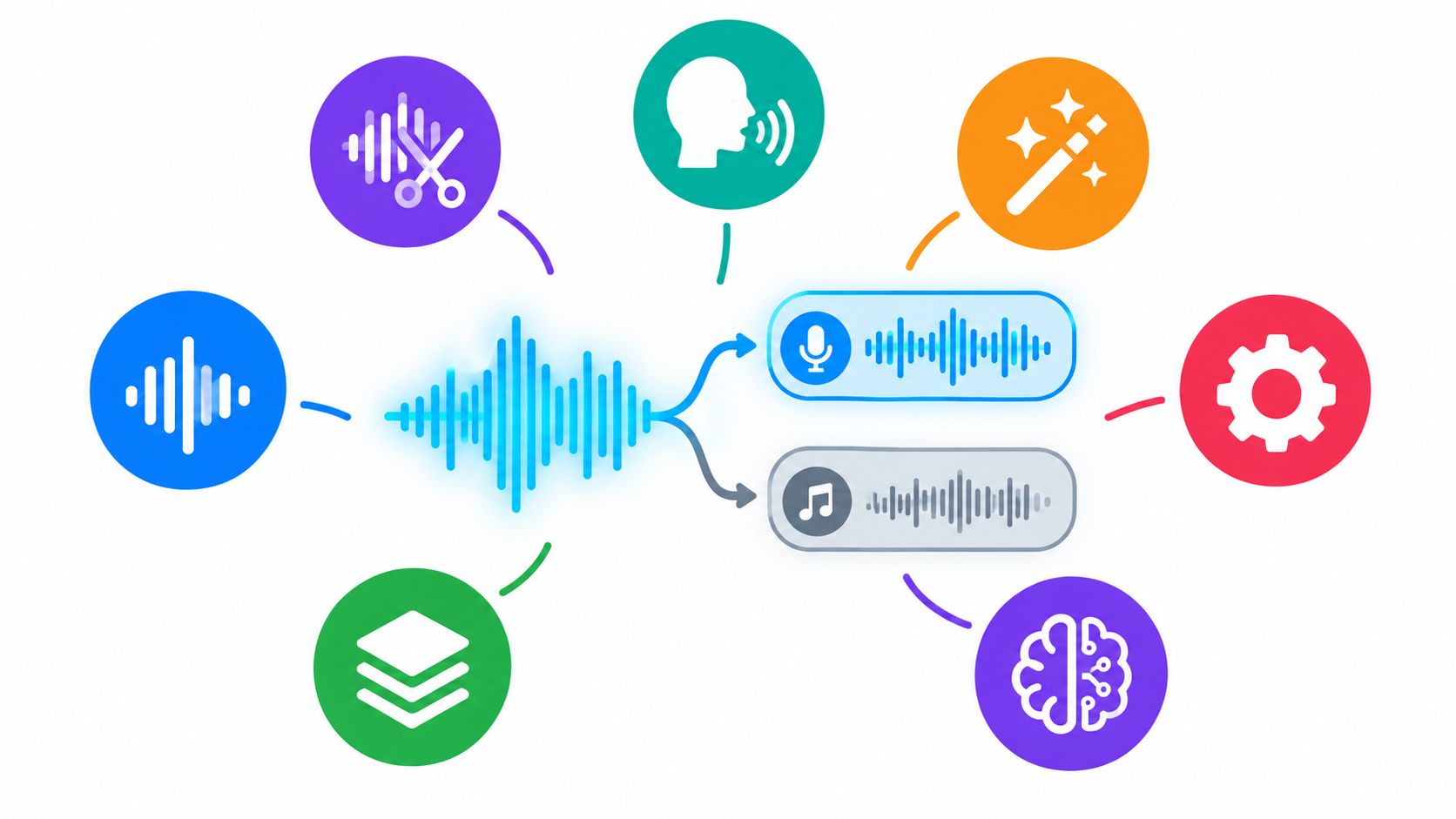
A common edit starts with a simple question. Do you need the vocal itself, or do you need everything around it with the vocal removed? Saturalabs is built around that decision. It is a browser-based, text-guided audio and video isolator that asks for one audible source per pass. A prompt such as “lead vocal,” “spoken voice,” “acoustic guitar,” or “keyboard typing” sets the target. The tool then returns two outputs: Isolated sound, which keeps that source, and Background audio, which removes it from the rest of the recording.
That matters because the right prompt and the right output are not always the same thing. For karaoke, the prompt may be “vocals,” but the useful file is usually Background audio. For dialogue cleanup, “spoken voice” is the better starting point, and Isolated sound is the file to judge first. The same source-first workflow can also help with acapella prep, practice tracks, background-music removal, and sound-effect pulls.
A prompt-and-compare workflow
Saturalabs accepts MP3, WAV, MP4, and MOV files up to 50 MiB (52.43 MB). For a longer project, export only the section that contains the real problem, then keep the original timing so it can drop back into the edit without guesswork. The browser workflow avoids plug-ins and lets users audition results before deciding what to download. Downloads require an account and enough credits, and the credit cost is shown before confirmation.
The useful check here is not a generic before-and-after pass. It is a prompt comparison. Run “vocals” and “lead vocal” on the same section, level-match them, and compare the spots where separation usually breaks: doubled lines, breathy consonants, cymbal hits, and long reverb tails. One prompt may clean the background more aggressively, while the other keeps better detail in the singer.
If consonants in Isolated sound come back thinned, narrow the prompt and compare both passes. A specific label such as “lead vocal” can preserve detail that a broader “vocals” pass smears.
Saturalabs suits editors who want a quick, source-specific pass without installing software. It still needs judgment. Overlap, clipping, heavy reverb, and strong background bleed can change the result, so compare any export against the original before publishing, and make sure you have the rights to upload and use the recording. Review the current workflow and available tools in the Saturalabs journal before uploading.
3. LALAL.AI
LALAL.AI fits users who want a quick browser preview before committing to a larger stem workflow. Its Vocal and backing track separation can produce an acapella or karaoke-style accompaniment, while its broader catalog includes drums, bass, guitars, piano, synth, strings, and winds. It also offers voice and noise separation, along with optional processing aimed at echo and reverb reduction. Desktop and iOS apps, plus plug-in options, make it more flexible than a purely web-only splitter.
The broad stem selection is useful for remix preparation, but more categories don't automatically make a difficult mix separable. Dense arrangements, backing vocals, stereo widening, and shared ambience can leave vocal bleed or create warbling. The preview helps users identify that problem before paying for a full result, but it doesn't replace a full listening pass.
Test the chorus twice: first with the vocal isolated, then with the instrumental output. Residual singing can be easier to hear in the backing track than in the acapella.
LALAL.AI suits one-off karaoke work and creators who want to explore several source types from the same recording. It can also help when a voice-cleaning or de-echo module addresses the main problem, though those processes can change room tone and vocal character. Compare the original, isolated vocal, and backing track during ad-libs, long reverb tails, and loud percussion before using the file in a release.
For local processing, LALAL.AI documents Lyra in its desktop app and VST plugin. It offers seven stem categories without audio uploads or processing-minute deductions. Access requires an active Pro subscription, initial activation and occasional subscription checks; offline processing does not mean a free perpetual license. Its cloud models offer a wider source menu. Choose the model and licensing workflow before comparing results.
See the current stem options and workflow on the LALAL.AI official website.
4. Moises
Moises is aimed less at a single extraction and more at musicians who want separation inside a practice workflow. Its web and mobile applications support vocal removal, acapella creation, expanded stem categories, chord detection, tempo and key changes, and a smart metronome. The Studio environment also supports collaborative work, which can matter when a band, teacher, or student needs to review the same arrangement.
The interface is approachable, especially for users who want to practice against a backing track instead of edit individual spectral details. A singer can reduce the original vocal, change the key, and work with the arrangement in one environment. A producer who needs precise cleanup after extraction may find the app less suitable than a dedicated restoration editor.
Higher stem counts and some other features sit behind paid tiers. Current pricing and entitlements can vary by region and may be visible only after login, so the plan shown for the account should be checked before committing.
For a vocal-removal job, the important listening check remains the backing track without vocals. Listen for vocal residue in the chorus, backing harmonies under sustained notes, and pumping around bass-heavy phrases. For an acapella, check whether the extraction has retained breaths and consonant attacks rather than only the obvious melody.
Moises works well for practice, mobile access, and arrangement-focused use. It isn't automatically the best choice for surgical repair or detailed post-production. Review the current app and Studio capabilities at Moises.
5. Hit'n'Mix RipX
RipX AI DAW is designed for users who want to keep editing after the initial separation. Its workflow goes beyond a simple vocal split by exposing separated notes and harmonics for deeper manipulation. Producers can use the extracted material for pitch changes, timing edits, sound replacement, and arrangement work without treating the stem as a finished recording.
That makes RipX particularly interesting for remixers and sound designers. A damaged note may be easier to replace or reshape inside a creative editing environment than in a basic splitter. The approach also differs from a traditional DAW, so users should expect a learning curve before note-level controls become efficient.
The Pro edition offers a 21-day free trial, according to the product plan, giving users a defined period to evaluate both the extraction quality and the editing workflow. Trial terms and current editions should be confirmed on the official site before starting.
Where the workflow pays off
RipX is a better fit when the vocal needs transformation after extraction, such as changing a phrase's pitch, tightening timing, or building a remix around separated musical material. It may be unnecessary for a quick karaoke file where the only question is whether the background audio sounds clean enough.
Don't judge RipX only by the isolated vocal. A note-level workflow earns its value when the extracted material still needs creative repair, rearrangement, or replacement.
Users comparing a stem-based tool with a single-source isolator can review stems versus audio isolation. The practical test is to inspect the busiest musical phrase and determine whether the available editing control solves a problem that a simpler tool would leave untouched.
Visit the Hit'n'Mix RipX official site for current editions and trial information.
6. iZotope RX 12
iZotope RX 12 is built for restoration and post-production rather than casual one-click extraction. Its Stems View and updated Music Rebalance workflow provide control over vocals, bass, and drums, while Scene Rebalance addresses dialogue, music, and effects in post-production material. The spectral editor adds visual selection and repair, which helps users remove isolated artifacts after separation.
That control is the central advantage. A post editor can combine vocal separation with de-reverb, de-click, noise reduction, and manual spectral repair. A producer can inspect a damaged consonant or cymbal hit instead of accepting the full stem unchanged. RX is also available in multiple editions and subscription paths, so the current product level needs to be matched to the required tools.
The cost of that flexibility is time. RX has a heavier learning curve than a browser splitter, and difficult files often need several small adjustments rather than one broad process. Over-processing can make a voice thin, dull, or unnaturally dry.
Treat separation and repair as separate decisions. Removing every trace of ambience can damage a wanted vocal component, especially when backing vocals and reverb share the same space.
A useful comparison is explained in audio isolation versus noise reduction. The final check should include the original mix, the isolated vocal, and the repaired version at matched loudness. Listen for room tone changes, missing sibilants, and unnatural gaps between words.
Review current editions and features at the iZotope RX collection.
7. Steinberg SpectraLayers Pro 13
SpectraLayers Pro 13 is for users who want layer-based spectral control after an AI-assisted split. Its Unmix Song workflow separates sources such as vocals, drums, bass, guitar, piano, sax and brass, and other material. Voice-focused tools include Unmix Two Voices and Voice DeCrosstalk, which are relevant when overlapping speakers or vocal parts create the main difficulty.
The software's strongest case is refinement. Users can inspect the spectrum, work on individual layers, and manually reduce artifacts that a lightweight web splitter leaves behind. That makes it useful for dialogue editors, restoration specialists, and producers dealing with a vocal that overlaps heavily with instruments or another voice.
The workflow is more time-intensive than a simple upload-and-download service. Spectral editing requires familiarity with selections, frequency content, and the risk of deleting wanted detail along with unwanted bleed. A visually tidy selection can still sound worse if it removes consonants, breaths, or the natural tail of a note.
What to audition
Start with the section where the voices or instruments overlap most. For music, check doubled vocals, distorted guitars, cymbals, and reverb. For speech, listen for consonants, room tone, and changes in the relationship between the foreground voice and background music.
SpectraLayers is a strong choice when manual control matters more than speed. It isn't the most efficient option for a single karaoke conversion, but it can provide a deeper repair path when the first extraction is close and needs careful polishing.
See the current tools and edition details on the Steinberg SpectraLayers website.
Top 7 Vocal Extractors: Feature Comparison
| Tool | Implementation complexity | Resource requirements | Expected outcomes | Ideal use cases | Key advantages |
|---|---|---|---|---|---|
| Audacity | Medium, install + optional AI plugin and effects | Offline desktop; CPU/GPU affects AI speed; free | Center-channel methods and optional four-stem AI separation; check bleed and missing detail | Students, creators, privacy‑sensitive offline editing | Free, open-source, widely documented |
| Saturalabs | Low, browser-based, text-guided workflow | Browser only; uploads ≤50 MiB; account and credits for downloads | Targeted single-source isolation with side‑by‑side preview; may need multiple passes for complex mixes | Podcasters, editors, remixers needing quick isolated sources | Plain-language prompts; isolate vs background preview; editor guidance |
| LALAL.AI | Browser workflow or separately licensed local Lyra processing | Cloud plans or active Pro subscription for local Lyra | Fast vocal/instrumental and multi-stem splits; artifacts possible in dense arrangements | Karaoke, acapella extraction, quick one-off separations | Broad stem catalog; fast previews; de-echo/reverb modules |
| Moises | Low–Medium, web + mobile apps, collaborative Studio | Browser and iOS/Android apps; some features behind paid tiers | Practice-oriented separations with higher stem counts on paid plans; variable quality | Musicians practicing, mobile users, collaborative editing | Integrated practice tools (chords, metronome); strong mobile support |
| Hit'n'Mix RipX | High, DAW-style, note-level editing workflow | Desktop app; paid tiers with 21‑day trial | High-quality stem and note-level extraction enabling deep remixing; steeper learning curve | Remixers, sound designers, advanced producers | Edit audio like MIDI; sound replacement and deep remix tools |
| iZotope RX 12 | High, professional spectral and repair workflows | Desktop app; multiple paid editions or subscription; powerful CPU recommended | Surgical vocal attenuation/isolation plus world-class repair; best with manual tweaking | Post-production, restoration, professional mixing | Industry-standard repair and spectral tools; Scene/Rebalance and Stems View |
| Steinberg SpectraLayers Pro 13 | High, spectral editor with layer-based unmixing | Desktop app; paid license; skilled user base | Very precise unmixing and voice refinement; time-intensive manual polishing | Tricky extractions, advanced spectral editing, dialogue/music separation | Layer-based editing; Unmix/Voice DeCrosstalk tools for complex cases |
Match the Tool to the Edit and Test It First
The best vocal extractor depends on the source and the intended output. Audacity suits users who want a free, offline editor and don't mind configuring the process. Saturalabs is practical when a creator wants to name one audible source, compare the isolated and remaining outputs, and work in a browser. LALAL.AI and Moises are convenient for fast stem previews, karaoke, and musician practice. RipX is better when the extracted material needs note-level creative editing. RX 12 and SpectraLayers Pro 13 are stronger choices when restoration, spectral repair, and detailed post-production justify the learning curve.
No tool can recover a clean original vocal from every finished mix. Audio source separation is an estimation problem, and the result may contain remaining interference, generated artifacts, distortion, or lost harmonics. A benchmark score can help compare systems under defined conditions, but it isn't a guarantee that a particular chorus, live recording, duet, or compressed video will sound acceptable. MUSDB18 research established a repeatable framework with professionally mixed songs and aligned stems, while later work shows why objective scores still need listening checks.
The practical test is short and specific:
- Use the hardest passage: Test the densest chorus, doubled vocal, loud cymbal section, reverberant ending, or overlapping speech.
- Compare both outputs: For karaoke, judge Background audio. For dialogue, judge Isolated sound. Don't inspect only the file that sounds impressive in a solo preview.
- Check wanted detail: Listen for consonants, breaths, reverb tails, vocal attacks, and natural room tone.
- Confirm the transaction: Check current pricing on each official site and verify the credit cost shown in Saturalabs before downloading.
- Confirm usage rights: Removing vocals doesn't clear the underlying composition or sound recording. The U.S. Copyright Office guidance for musicians explains that those rights can be protected separately.
A short clip can reveal more than a polished full-track preview. Test the source, identify the audible failure, and choose the tool whose controls address that failure.
Saturalabs lets creators upload MP3, WAV, MP4, or MOV files, describe one audible source in plain language, and compare Isolated sound with Background audio before downloading. For a vocal, karaoke, dialogue, or acapella workflow, visit Saturalabs and test a difficult section before committing credits.