
In this guide
Can a music stem splitter isolate the sound that matters, or does it only divide a song into familiar labels such as vocals, drums, bass, and "other"? That distinction matters when the source is a filmed interview, a live recording, or a video with one distracting sound effect. The useful question isn't always "Can this make four stems?" It may be "Can this recover the spoken voice while leaving the room tone usable?"
A music stem splitter works from a finished mix, not from the original studio session. It can help producers, editors, educators, and sound designers recover workable parts from a single file, but the result remains an estimate. The practical workflow is therefore less about pressing a magic button and more about choosing one audible target, inspecting the right output, and checking the difficult passages before committing the file to a project.
What a Music Stem Splitter Actually Does
A producer receives a stereo bounce instead of the original session. The producer needs the vocal for a rehearsal track, the drum part for analysis, or the background music removed from a video. The mix contains all of those elements already combined, so the missing tracks can't be opened or unmuted. A music stem splitter analyzes the combined recording and reconstructs a requested source as a new audio file.
That makes it a source-recovery tool, not a sampler, player, or replacement for the original multitrack session. The system doesn't know where the original vocal track ended or which microphone captured the snare. It estimates which parts of the waveform most likely belong to the requested source, then creates an output that preserves as much of that source as possible.
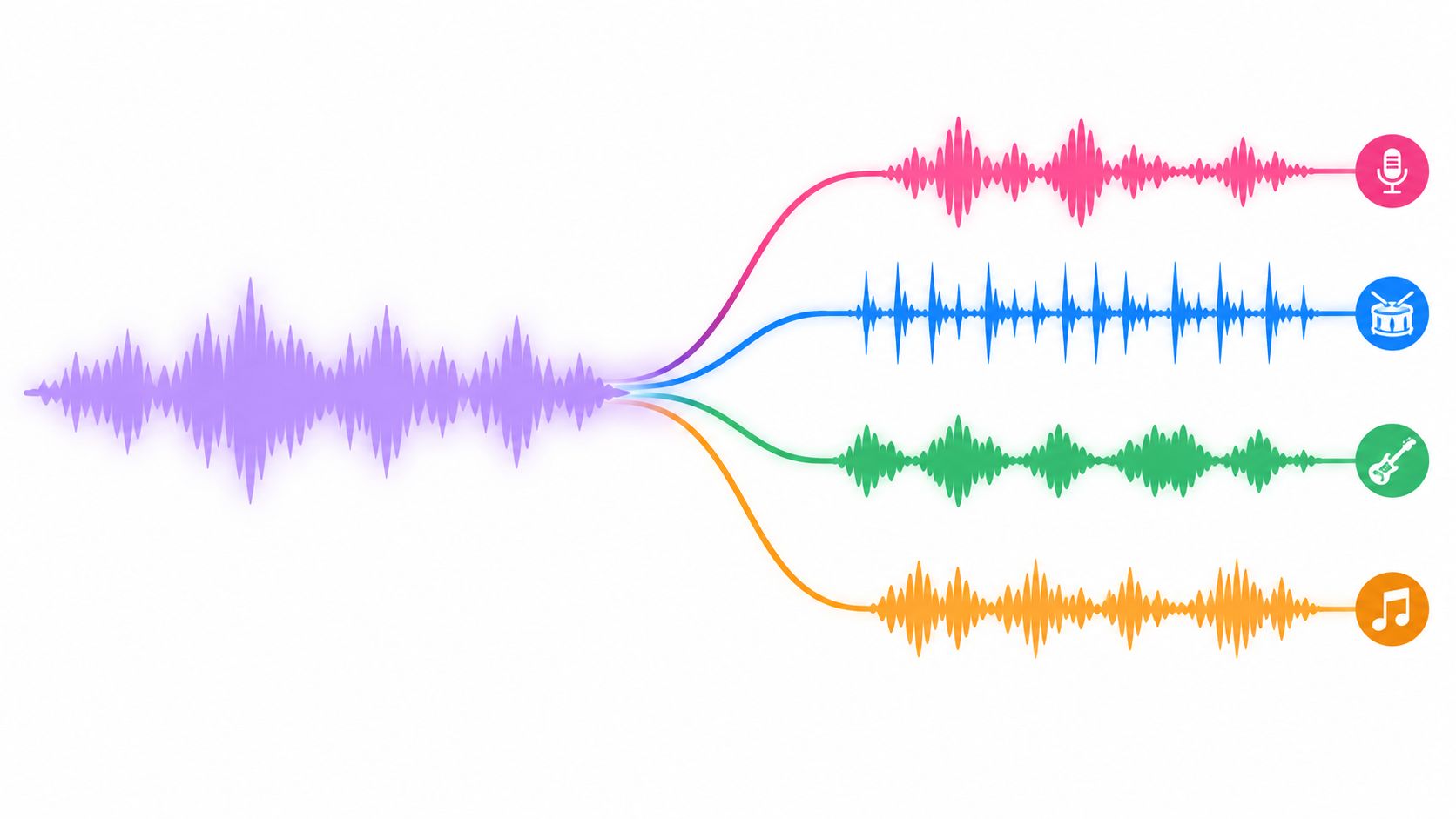
That difference explains why a separated vocal can contain faint guitar, reverb, or cymbal residue. A bass stem can lose upper harmonics when those frequencies overlap with guitars, keyboards, or kick drums. A dialogue extraction can retain a trace of music if both sounds occupy the same time and frequency regions.
Stems and isolation are related, but not identical
Traditional stem language usually refers to grouped musical components, such as vocals, drums, bass, and instruments. Audio isolation is broader. It can target spoken voice, ambience, a guitar, a sound effect, or background music in a mixed audio or video file. The distinction is useful when selecting a workflow, and the difference between audio channels and stems gives the terminology a practical foundation.
A fixed four-part separator is convenient for remixing. A text-guided isolator is more adaptable when the requested sound doesn't fit a standard song stem. For example, a filmmaker may need a door close from a crowded scene, while a podcaster may need spoken voice separated from music and room noise. Both tasks involve source recovery, but neither is necessarily served by a preset called “drums” or “other.”
Practical rule: Treat every extracted file as a working approximation until it has been auditioned against the original mix.
The best use cases share a clear target and a realistic purpose. An isolated vocal can support a rehearsal arrangement or educational analysis. Background audio can support karaoke or a video edit. A recovered sound effect can help an editor build a rough sound design layer. None of those outputs should be confused with the original studio stem, which remains the cleaner option whenever it can be obtained legitimately.
How Stem Separation Works Under the Hood
How can a system recover one audible source when several sounds share the same recording? It begins with the waveform, but the useful clues often appear after the audio is mapped across time and frequency.
Classical source separation commonly uses a short-time Fourier transform, or STFT, to show which frequencies occur at each moment. The system estimates a mask or filter for the requested source, applies that estimate to the time-frequency representation, and converts the result back into a waveform. The underlying process is described in research on time-frequency masking and source reconstruction at HAL Open Science.
The hard part is overlap. Dialogue and music can occupy the same midrange. A sound effect may share frequencies with ambience, while a kick and bass note can arrive together. Reverb spreads a sound beyond its original timing, and compression or mastering reduces the differences that would identify separate parts. The separator therefore infers the most likely target from the mixture. It does not retrieve a hidden track that remains intact inside the file.
Where modern neural systems changed the workflow
Neural models learn recurring relationships among timbre, timing, harmonic structure, and context. A major training and evaluation reference is MUSDB18, released in 2017 with 150 songs containing separate stems. That benchmark made model comparisons more repeatable. Its details and reported model progression are documented in this guide to stem splitting.
Reported MUSDB18 results include 7.7 dB SDR for Demucs v3 and 9.2 dB SDR for fine-tuned HTDemucs. The same guide reports newer model families such as BS-RoFormer as state-of-the-art for vocal isolation in 2024. These figures describe performance under a defined test setup. They do not predict the result from a particular dialogue clip, sound effect, compressed song, or video upload.
A model may process the waveform, a spectrogram, or both. Systems that rely heavily on magnitude spectrograms can discard phase information at the input stage. That trade-off can produce smeared transients and robotic artifacts in difficult passages, as discussed in ISMIR research on source separation evaluation.
For a text-guided tool such as Saturalabs, the practical implication is to define one audible source clearly. The model has to decide what belongs to the requested dialogue, effect, or other asset while treating the remaining material as interference. A narrow request gives the separation process a clearer target than a prompt asking it to clean every element at once.
What the technical scores leave out
Engineers commonly use SDR, SIR, and SAR. SDR describes overall distortion, SIR describes interference from unwanted sources, and SAR describes artifacts introduced during separation. A single score cannot show whether a consonant vanished, a snare lost its attack, or a reverb tail turned metallic.
Auditioning remains necessary. Dense choruses, exposed consonants, cymbal hits, bass transitions, and reverberant endings expose defects quickly. Check the complementary output too. A target may sound acceptable while the remaining audio contains a hole, pumping, or musical noise that becomes obvious under a new edit.
A useful distinction is between target preservation and aggressive suppression, as explained in this overview of stems versus audio isolation. One setting may retain a natural source with some bleed. Another may suppress interference more strongly while damaging phase or texture. Choose based on the deliverable: a believable isolated source, a usable remainder, or a rough editing reference.
A Practical Workflow for Text-Guided Isolation
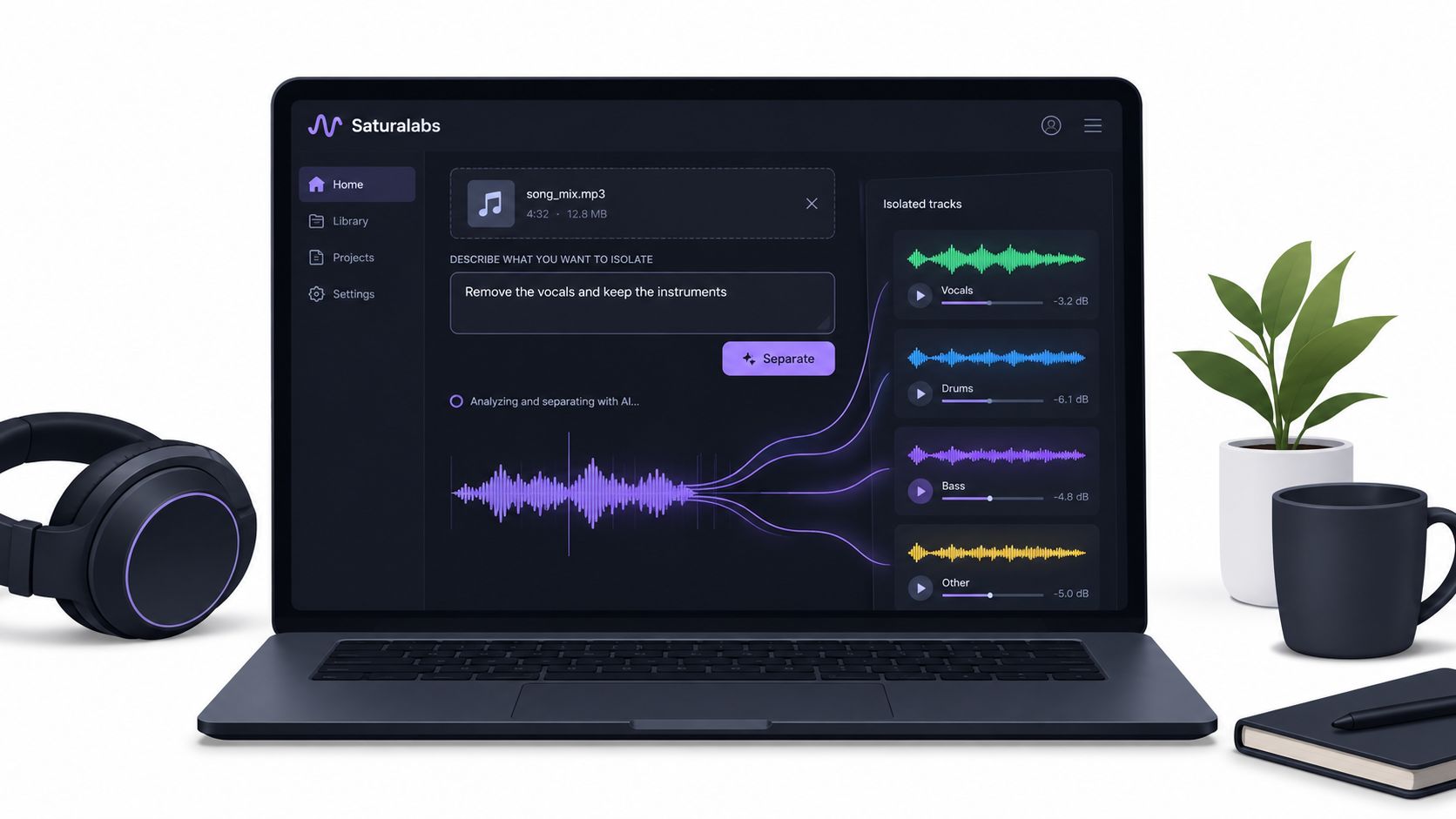
A fixed stem menu works well when the request is clearly “vocals” or “drums.” Text-guided isolation suits projects where the audible target is more specific. Saturalabs provides a browser-based workflow in which the operator uploads a file, describes one audible source, and receives both the requested source and the remaining recording for comparison. The Saturalabs stem splitter supports MP3, WAV, MP4, and MOV uploads up to 50 MiB, or 52.43 MB, according to its published product information.
Step 1 Choose the source before uploading
The prompt should name one sound, not the entire desired edit. “Spoken voice in the interview” is more useful than “remove music, noise, room tone, and breaths.” “Electric guitar” is more useful than “separate every instrument and make the mix clean.”
Each pass handles one requested source. That limitation is important because a long list of targets makes the instruction less precise and can make the output harder to evaluate. If a project needs a vocal and a guitar, the operator should treat those as separate passes and compare each result independently.
Step 2 Upload a suitable file
The supported formats cover both audio and video workflows:
- Audio files: MP3 and WAV.
- Video files: MP4 and MOV.
- Upload ceiling: Up to 50 MiB, shown as 52.43 MB in the published limit.
A source should be checked before upload. If a cleaner WAV or lossless export exists, it is preferable to a heavily compressed web copy. A video editor should also decide whether the isolated result needs to remain synchronized with the source timeline before replacing or importing it.
Step 3 Write a plain-language target
The wording should identify the sound and, when useful, a distinguishing feature.
| Your Goal | Prompt Target | Output to Inspect |
|---|---|---|
| Create a karaoke backing track | “Vocals in the song” | Background audio |
| Prepare dialogue for an edit | “Spoken voice in the interview” | Isolated sound |
| Pull a guitar part for study | “Electric guitar” | Isolated sound |
| Remove a music bed from a video | “Background music under the speech” | Background audio |
| Recover a prominent effect | “Door closing sound” | Isolated sound |
Step 4 Run the pass and inspect both outputs
The result includes Isolated sound, which keeps the named target, and Background audio, which contains the remaining recording with that target removed. The right file depends on the final task. Karaoke usually needs the background version, while dialogue editing usually starts with the isolated spoken voice.
The operator shouldn't download automatically after the first preview. Difficult sections deserve a direct comparison with the original, especially when the target overlaps with music, room reflections, or percussion.
Step 5 Compare cost and editability
Credits matter when several prompts or output versions are needed. The operator should check the displayed credit cost before downloading a file, particularly when both isolated and background versions may be useful. The service should be treated as a separation stage, not a complete editor, mixer, or rights-management solution.
Concrete Prompts and Output Choices
The most reliable prompt is narrow enough to describe one audible source and specific enough to distinguish it from nearby sounds. “Vocals” may be sufficient for a straightforward song. “Female lead vocal with reverb” can provide a more focused target when the mix contains several voices, though no wording can guarantee clean separation.
For karaoke, the intended result is usually not the vocal file. The practical sequence is to request “vocals in the song”, then audition Background audio. That output retains the rest of the recording after the requested vocal has been removed. It may still contain vocal bleed or reverberant traces, so the chorus and vocal endings should be checked before the track is used in a performance setting.
For dialogue, the decision reverses. A prompt such as “spoken voice in the interview” points toward Isolated sound. The operator can then place that result under a new edit, apply ordinary level and equalization adjustments, and compare it against the full mix to determine whether important room character or consonants were lost.
Prompts for music and video work
Useful examples include:
- Music practice: “Acoustic guitar in the song.” Inspect Isolated sound for chord detail, pick noise, and bleed from vocals.
- Remix preparation: “Lead vocal in the chorus.” Inspect the isolated file and the complementary background around stacked harmonies.
- Film editing: “Footsteps on the hallway floor.” Inspect Isolated sound for missing impacts and music residue.
- YouTube dialogue: “Spoken presenter's voice.” Inspect Isolated sound, then check whether the voice remains intelligible during the loudest music cue.
- Sound design: “Dog bark in the outdoor recording.” Inspect both outputs to see whether the ambience remains natural after removal.
A prompt should not combine those requests into one sentence. “Remove the music, isolate the dialogue, keep the ambience, and extract the footsteps” asks for multiple operations at once. One-source-at-a-time separation makes the output easier to identify and gives the editor a clear reason to keep or reject each pass.
The audio isolation prompt guide provides a useful reference for describing audible targets without turning the prompt into a long technical brief. Plain language is usually enough when the target has a clear acoustic identity.
Listening check: Compare the hardest moment, not only the cleanest preview. A dense chorus, overlapping sentence, or reverberant effect reveals more than an isolated solo passage.
Output choice should follow the edit. A remix producer may want the isolated vocal. A karaoke creator wants the background audio. A filmmaker may keep both, using the isolated source for replacement dialogue and the background version as a reference for continuity. The operator should label files immediately, because “isolated” and “background” can be confusing once several passes sit in a download folder.
Why Source Quality Limits Separation Results
A music stem splitter can't restore information that a damaged source has already destroyed. Clipping changes waveform peaks, low-bitrate encoding adds compression artifacts, and a dense master places many competing sounds in the same time-frequency regions. A separator can estimate a cleaner target, but it can't reliably recreate the original microphone signal from a poor input.
This is why a high-quality export usually gives the workflow more to work with than a low-quality MP3 downloaded from a web page. Independent guidance on splitter software identifies compression artifacts and low-quality MP3s as direct limits on output quality, while also noting common problems such as bleed and metallic artifacts in difficult extractions. Those practical limitations are outlined in this guide to AI-powered audio separation tools.
The failures have recognizable causes
A vocal may sound watery because the backing instruments share its harmonics. A drum stem may lose its attack because the transient overlaps with another instrument. A bass extraction may feel thin because its upper harmonics were confused with guitars or keys. Reverb can remain after the dry source is removed because the algorithm cannot always distinguish the tail from the surrounding acoustic space.
Clipping and distortion are especially difficult. If the source already contains flattened peaks, the separator has fewer natural cues for recognizing the target. Heavy mastering can create a similar problem by reducing contrast between quiet and loud elements.
Use separation as a cleanup aid
The strongest expectation is practical rather than magical. A separated file can be good enough for a rehearsal, rough edit, educational demonstration, remix sketch, or sound-design layer. It may not be good enough to replace an original multitrack stem in a release-ready mix.
Source quality sets the ceiling. A more advanced separator can improve an estimate, but it can't turn a clipped or heavily compressed recording into the original session track.
The operator should preserve the original file and work from a copy. If an artifact appears in a critical word, hit, or musical entrance, the editor may need to keep the original mix underneath, edit around the damaged moment, or recreate the missing part manually. Source separation is valuable precisely because it can save time, but its output still needs musical and editorial judgment.
Troubleshooting Common Isolation Issues
When an extracted result isn't useful, the first step is to identify whether the problem is the target, the source, or the listening context. A structured check prevents repeated downloads that produce the same failure.
Recheck the source file. If a cleaner WAV, lossless export, or original camera file exists, use that instead of a compressed copy. A distorted or clipped input will limit every later pass.
Narrow the prompt. Replace “vocal” with “female lead vocal”, “male spoken voice”, or “electric guitar in the chorus” when the recording contains multiple similar sources. One audible target per pass keeps the output easier to assess.
Inspect the right output. For karaoke, audition Background audio after requesting vocals. For speech, audition Isolated sound after requesting spoken voice. Selecting the wrong version can make a usable separation appear to have failed.
Check dense passages. Listen to overlapping harmonies, cymbal hits, bass changes, reverb tails, and loud music under dialogue. Masking and filtering can create phase or amplitude discontinuities, while source-separation research also documents localized “musical noise” as a possible artifact. The discussion in these audio separation slides supports comparing difficult regions against the original.
Keep the original nearby. If wanted sound disappeared, blend carefully from the original mix or edit around the damaged passage. A clean isolated file isn't automatically better than a natural full mix.
Review credits before downloading. The operator should confirm the displayed cost for the selected output and avoid downloading multiple versions without checking which one the project needs.
Rights remain a separate responsibility. The user must have appropriate rights to the uploaded recording and to the intended publication, performance, remix, or video use. Separation changes the audio structure, but it doesn't provide copyright clearance.
Saturalabs provides text-guided isolation for audio and video, including spoken voice, instruments, vocals, background music, and sound effects, with separate isolated and background outputs for comparison. For a focused one-source workflow, visit Saturalabs, upload a supported file, and test the target against the original before downloading.