
In this guide
You love the track, but the session files aren't coming with it. The stereo mix is all you've got, and that means the drum energy, bass movement, and vocal placement are locked together unless you can separate them cleanly enough to work with.
That's where music stems for remixing become practical, not theoretical. In a real remix workflow, stems are the bridge between a finished record and a version you can reshape, whether that means muting vocals, rebuilding the low end, or pulling out a performance element without wrecking the rest of the arrangement.
Why Remixers Need Stems
A remix starts with a problem that sounds simple and turns messy fast. A producer hears a record and knows the hook is strong, but the only file available is the final stereo mix, so every move affects everything else in the song.
The gap between inspiration and access
Original multitracks would solve most of that, but they're rarely handed over. When they aren't, remixers usually have to work from grouped submixes or extract workable stems from the finished record, which gives them something synchronized and remix-ready without the full project files.
That distinction matters because a remix usually needs more than a simple mute. A producer may want to rebalance vocals against drums, create a version without lead vocals, replace a bass part, or isolate a section for a new arrangement, and stems make those moves possible without rebuilding the song from scratch.
Practical rule: a stem is only useful if it preserves the timing and feel of the original while giving enough separation to make a musical decision.
This is why stem quality matters as much as stem access. A clean source file that's poorly grouped can still be awkward to remix, while a less glamorous stem that keeps the groove intact can be enough to finish the job.
What Music Stems Actually Are
A stem is a subgroup or submix built from related elements, not a raw recording and not the full stereo master. Think of all drums combined into one file, all backing vocals into another, or a grouped string section that still reflects the original arrangement but no longer behaves like every individual microphone track.
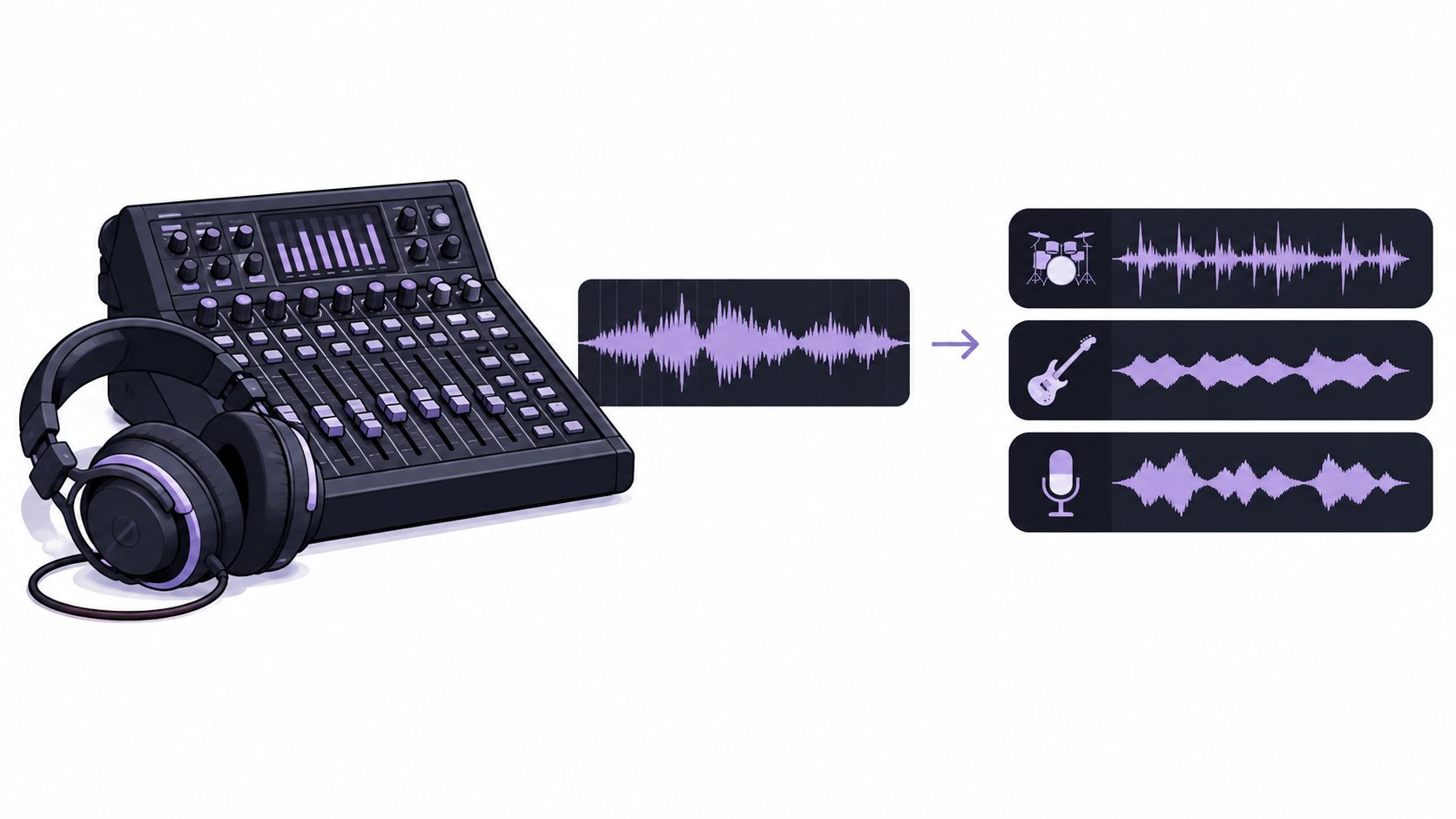
Stems are not multitracks
Multitracks are the individual source recordings, the raw building blocks of the session. Stems sit one level higher, because they combine those building blocks into fewer, functional groups that still carry the arrangement and processing choices made in the mix.
That's why stems feel easier to trade than a full session file. Academic music-technology material describes them as distinct from a complete mono or stereo master because they preserve the functional sections of the multitrack session while remaining easier to exchange and remix than the entire project file (Oxford University Press reference).
The 2015 standardization moment
A more concrete milestone came in 2015, when Native Instruments introduced the Stems format for DJ performance and live remixing. The format used an MP4 container with the full mix plus four independently controllable musical elements, such as drums, bass, melody, and vocals, and supported players could separate those parts while unsupported players still treated the file like ordinary stereo audio (technical coverage of the format).
Learn how Saturalabs distinguishes audio channels from stem-style separation
That history explains the modern expectation around stems. They're meant to be practical, synced, and remixable, but they're still processed groups. If the producer baked reverb, compression, or bleed into the file, the stem will carry those decisions too.
How to Obtain or Create Stems with AI
When the multitracks aren't available, the workflow shifts from asking for stems to extracting them from a finished recording. The key is to ask for one audible source at a time and keep the request narrow enough that the result is useful.
A straightforward extraction workflow
Saturalabs is text-guided audio/video isolation, not a general video editor or music generator. Uploads support MP3, WAV, MP4, and MOV up to 50 MiB (52.43 MB), then the prompt names one audible source, such as lead vocal only, kick and snare, or electric guitar melody. The output split is simple, Isolated sound keeps the named target, while Background audio returns the rest of the recording with that target removed.
For remix work, the prompt should reflect the musical role, not a vague label. A lead line can be requested as lead vocal only, a rhythm part as guitar rhythm part, or a percussion layer as kick and snare, and each request should be checked against the source before the file is used in a session.
Practical rule: one prompt, one audible source, one decision. Broad prompts usually produce broader problems.
The same file can support different goals depending on what gets isolated. A vocal-focused remix needs a different output choice than a backing-track edit, so the workflow has to start with the end use in mind.
For example, a producer can isolate a vocal phrase for a breakdown, then use the remaining backing audio as the basis for a DJ-friendly transition. Another producer may isolate drums only to build a new groove around the original pocket, then layer new bass and synth parts on top.
Prompt examples that actually help
- Lead vocal only for acapella-style edits and topline rearrangement.
- Kick and snare when the rhythm needs to stay anchored but the rest can move.
- Electric guitar melody when the hook sits inside a dense arrangement.
- Spoken voice only when a vocal phrase or ad-lib needs to be lifted from a busy mix.
The right prompt doesn't guarantee a perfect separation, but it does limit confusion. That alone saves time when the goal is remixing rather than general cleanup.
Choosing the Right Output for Your Remix
The wrong output file wastes credits and usually forces a second pass. The choice is simple once the goal is clear, because Isolated sound and Background audio serve different remix jobs.
| Remix Goal | Prompt Target | Output to Download |
|---|---|---|
| Acapella | vocals | Isolated sound |
| Karaoke or instrumental | vocals | Background audio |
| Drum-led remake | drums | Isolated sound |
| Full backing track without a lead element | lead vocal, spoken voice, or other target | Background audio |
For a vocal remix, the producer usually wants the isolated vocal when the verse or chorus needs to be lifted into a new arrangement. For a karaoke or drumless version, the smarter choice is Background audio, because that output keeps the music bed and removes the target part.
A lot of mistakes happen when the file is named correctly but the wrong output gets downloaded. That's why the selection should be tied to the production job, not the labeling habit.
Short version: isolate the part you want to feature, download the remaining mix when you want everything except that part.
That simple split keeps the workflow efficient. It also makes it easier to avoid duplicate processing when only one side of the separation is actually needed.
Auditioning and Checking Quality
A stem can look clean in a browser preview and still fall apart inside a dense chorus. The safest approach is to audition the file where the mix is most crowded, not just where it sounds polite.
What to listen for first
Source-separation research uses several different quality measures, including SDR for overall distortion, SIR for unwanted bleed, SAR for processing artifacts, and ISR for spatial distortion (quality and failure-mode overview). Those labels are useful because they describe different kinds of problems that remixers hear.
A vocal stem with faint drums inside it has a bleed problem. A stem with metallic chirps or watery motion has an artifact problem. A stem that feels unnaturally narrow or oddly distant may be suffering from spatial distortion rather than simple leakage.
A listening checklist for remix work
- Check quiet intros: exposed passages reveal leftover noise, missing breaths, and broken consonants.
- Loop cymbal tails: high-frequency wash often exposes phase-like swirls and artifacting.
- Test doubled lines: stacked vocals and guitar doubles make bleed easier to hear.
- Inspect reverberant endings: tails can lose realism when separation gets too aggressive.
- Compare the hardest overlaps: dense choruses and fast transients are where failures show up first.
Research on source remixing also notes that preserving some residual signal can sometimes sound more natural than forcing a total cut, especially when a clean separation starts introducing obvious distortion (source-remixing study). That doesn't mean leaving everything messy, it means deciding whether a small amount of background is less distracting than a processed artifact.
The original file should stay nearby during this check. If the stem sounds different in the exact section that matters most, the mix decision should be based on that comparison, not on the isolated file alone.
Legal and Rights Considerations
Extracting a stem doesn't grant permission to release a remix. That's the assumption that causes the most trouble, because the technical act of isolation and the legal right to publish are two separate things.
What clearance still covers
A commercial remix can involve both the sound recording and the underlying composition, including lyrics, melody, and arrangement, so permission may be needed from different rights holders (rights and licensing overview). Buying an acapella, downloading a stem pack, or using a separated file doesn't automatically authorize publication.
“Royalty-free” also gets misunderstood. It usually describes the payment arrangement, not a blanket permission for every possible use. A license can still restrict commercial release, derivative works, or distribution.
What to keep on file
- Source URL: keep the page or origin where the file came from.
- Receipt or download record: preserve proof of access.
- License text: store the exact terms that applied at download.
- Contest rules or written permission: keep anything that authorizes the remix.
That paperwork matters more than most producers expect. A technically perfect stem pack can still be unusable for release if the rights trail is incomplete.
Balancing and Gain Staging Stems
Stems should be balanced like musical parts, not treated like isolated objects that each get normalized on their own. Matching waveform peaks doesn't guarantee comparable perceived loudness, and that's where mixes often drift out of proportion.
Set level by listening, then verify
The loudness standard used in broadcast and delivery work, ITU-R BS.1770, measures programme loudness and true peak, while AES guidance treats LUFS and LKFS as equivalent digital loudness terms (ITU-R BS.1770 reference). In practice, that means peak readings alone are not enough when stems are being assembled into a remix.
Read the peak-versus-loudness guide
Do not normalize every stem independently before the blend is set. That can wipe out the intended relationship between drums, bass, vocals, and effects, which is exactly the balance the remix is trying to preserve.
Useful habit: build the remix first, then check integrated loudness and true peak on the full result.
That order keeps the stem decisions musical instead of mechanical. It also makes final delivery easier, because the master can be adjusted once, at the end, instead of fighting mismatched source levels the whole way through.
Saturalabs can isolate one audible source from a mixed file, return both the target and the remaining background audio, and give remixers a fast way to test ideas without opening a full session. If a track needs a vocal pull, a drum split, or a backing version for rehearsal, Saturalabs is a practical place to start.