
In this guide
A producer finds a promising remix idea, uploads a finished song, and expects the lead vocal to emerge as if the original studio session were still open. Instead, the chorus returns with watery highs, a little guitar under the held notes, and reverb clipped from the ends of phrases. That result doesn't mean an online acapella maker has failed. It means vocal isolation is an estimation process, and the recording needs to be evaluated section by section.
A reliable workflow starts before the upload. The source file, the wording of the prompt, the output selected, and the listening checks all affect whether the extracted vocal is useful for a remix, vocal practice, arrangement, or edit. The aim isn't a perfect clone of a missing stem. The aim is a workable production layer that survives the parts of the song that matter.
Why an acapella maker online starts with the source
Two versions of the same song can produce very different vocal extracts. A relatively dry, forward vocal over a sparse arrangement gives an acapella maker online clearer material to separate. A dense master with wide effects, layered performances, and overlapping frequencies gives the system more competing information, so bleed becomes harder to avoid.
The source recording sets the ceiling before any processing begins. Listen to the file first. Check whether the lead stays centered and prominent, or sits inside a wide, reverberant mix. Note doubled vocals, harmonies, bright cymbals, distorted guitars, stereo synths, and bass sharing the singer's range. Those details help identify sections that deserve closer checking.
Practical rule: Spend one listening pass mapping the sparse verse, loudest chorus, quietest phrase, and longest reverb tail. Use that map to judge the extraction section by section instead of assuming consistent results across the song.
A quick source check
- Use the best authorized file available. Choose a lossless version when one exists. Compression artifacts already present in an MP3 can remain audible after separation.
- Mark exposed passages. Solo verses and breakdowns make residual backing sounds easier to hear than a full arrangement.
- Compare vocal placement. A centered lead may be easier to identify than a voice buried under stereo effects, although placement alone does not guarantee a clean result.
- Keep the original. The isolated file estimates the target source. It does not restore the missing multitrack vocal.
The karaoke industry shows why source quality matters. Karaoke technology emerged in Japan in the early 1970s, and one reported milestone was Nippon Columbia's 1972 technology for removing vocals from recordings, as described in this overview of karaoke technology and vocal removal. Earlier providers often used re-recorded backing arrangements because extracting a clean vocal from a commercial stereo master was technically impractical. Center-channel cancellation could reduce a centrally placed voice, but it could also weaken bass, kick drums, and other center-panned sounds while leaving reverb behind.
Prepare the file before writing the prompt. This guide to preparing audio for AI isolation covers practical preparation choices that can reduce avoidable problems. Identify what the recording can realistically give back, then judge each important passage on its own terms. That workflow costs less time than treating every imperfect result as a software failure.
Uploading your track and writing the prompt
The upload should be treated like the start of an audio edit, not a blind file drop. The browser tool accepts MP3, WAV, MP4, and MOV files up to 50 MiB (52.43 MB), so a song embedded in a video can be processed without first separating its soundtrack in a desktop editor. The highest-quality authorized source remains the better choice when several versions are available.
Drag the file into the audio isolation tool and choose the mode intended for stem separation or vocal isolation. The prompt should name one audible source. A separator has a clearer target when the instruction describes the sound to keep instead of listing every sound that should disappear.
Prompt examples that identify the target
Use a direct description such as:
Solo lead vocal, centered, dry, include ad-libsIsolated female lead vocal, include doubled phrasesLead singing voice, keep breaths, minimize room reverbSpoken voice from the intro, keep the original speech intelligible
The wording should reflect what can be heard. If the track includes a spoken introduction, identify it. If the lead is doubled or harmonized, say so rather than pretending it is a single dry performance. Genre and tempo can provide context when they help distinguish the target, but they shouldn't replace a clear source description.
Avoid prompts such as no drums, no bass, no synth, no guitar. Those instructions describe the background rather than the target and can make the request less precise. A positive instruction like isolated lead vocal with ad-libs gives the tool a single audible anchor.
Keep a record of each pass
Save the prompt exactly as written before starting another run. If a second pass sounds different, the saved wording helps identify whether the change came from the prompt, the source file, or the difficult passage itself. This turns trial and error into a repeatable session rather than a series of unremembered guesses.
The audio isolation prompt guide can help refine descriptions for vocals, speech, and other sources. For an acapella extraction, select Isolated sound when the goal is to keep the named vocal. Background audio contains the remaining recording after the target has been removed, so it serves a different purpose.
Which output to keep for vocals versus karaoke
The two outputs answer opposite production questions. Isolated sound keeps the source named in the prompt, while Background audio keeps the rest of the recording after that source has been removed. Confusing them is one of the easiest ways to download the wrong file.
Audition both outputs at matched loudness. A vocal can seem clean in isolation but reveal remnants when compared with the original. The background version can also show whether the vocal was removed effectively, especially during choruses and sustained notes.
Choosing the right separated output
| Goal | Output to keep | Notes |
|---|---|---|
| Acapella for a remix | Isolated sound | Prompt for lead vocals or singing vocals and retain the target output. |
| Vocal practice or analysis | Isolated sound | Check that lyrics, breaths, consonants, and phrase endings remain intelligible. |
| Karaoke or backing track | Background audio | Prompt for vocals, then keep the remaining recording with the vocal removed. |
| Checking what leaked | Background audio | Listen for guitar, pads, bass, cymbals, or vocal fragments that remain after removal. |
| Preparing an arrangement | Isolated sound, after review | Keep the vocal only if its artifacts don't interfere with the new production. |
For karaoke, the practical sequence is simple: describe vocals, generate the separation, and audition Background audio. For speech, describe spoken voice and audition Isolated sound. The labels matter because the desired result changes with the job.
A backing track isn't automatically a clean master. Vocal reverb, doubled phrases, and fragments of consonants can remain in the background. Likewise, an acapella isn't automatically a dry studio vocal. It can retain ambience, modulation, or traces of instruments that shared the singer's frequency range.
Why vocal extraction is never a perfect copy
A finished mix combines instruments, vocals, effects, and room sound in the same frequency range, stereo field, and timeline. An online separator estimates which parts belong to the requested source. It does not reopen the original session or recover an untouched vocal channel.
The result usually depends on four conditions: the source material, the amount of reverb, the use of doubled or harmonized vocals, and the separator design. A loud, heavily compressed master gives the system less contrast than a simpler mix. Reverb tails create another problem because they occupy the vocal's musical space and continue after the dry phrase has ended.
The main causes of variation
| Factor | Why it hurts the vocal | What to expect |
|---|---|---|
| Dense or heavily processed source | Instruments and effects overlap the vocal's frequencies and dynamics. | More bleed, softened consonants, or unstable high frequencies. |
| Reverb and delay | Ambience shares the vocal's range and extends beyond the phrase. | Clipped tails, watery ambience, or a vocal that remains noticeably wet. |
| Doubles and harmonies | Several voices overlap in timing, pitch, or stereo position. | Secondary parts may remain, disappear, or merge unevenly with the lead. |
| Separator design | The system makes a statistical estimate instead of recovering the original stem. | A verse may sound usable while a chorus needs editing or rejection. |
The MIR-1K benchmark also shows why a clean result cannot be promised. The dataset contains 1,000 singing clips, sampled at 16 kHz, with each clip lasting 4 to 13 seconds and drawn from 110 Chinese karaoke songs, according to the dataset discussion in the history of karaoke and vocal separation. A U-Net-style vocal-separation system reported 11.7 dB of source-to-distortion ratio on MIR-1K. Another study reported gains of approximately 2.30 to 2.48 dB in global normalized signal-to-distortion ratio and 4.32 to 5.42 dB in global signal-to-interference ratio over earlier models, as documented in this music source-separation research overview.
Those measurements describe tests on defined datasets, not a prediction for your song. Higher signal-quality scores generally mean less distortion or interference. A chorus with doubled vocals, cymbals, and strong reverb can still sound worse than a sparse verse.
Treat the output as a working stem for a listening and editing process. Judge each musical section on its own, then decide whether the artifacts fit the remix, practice track, or karaoke use.
Auditioning the result section by section
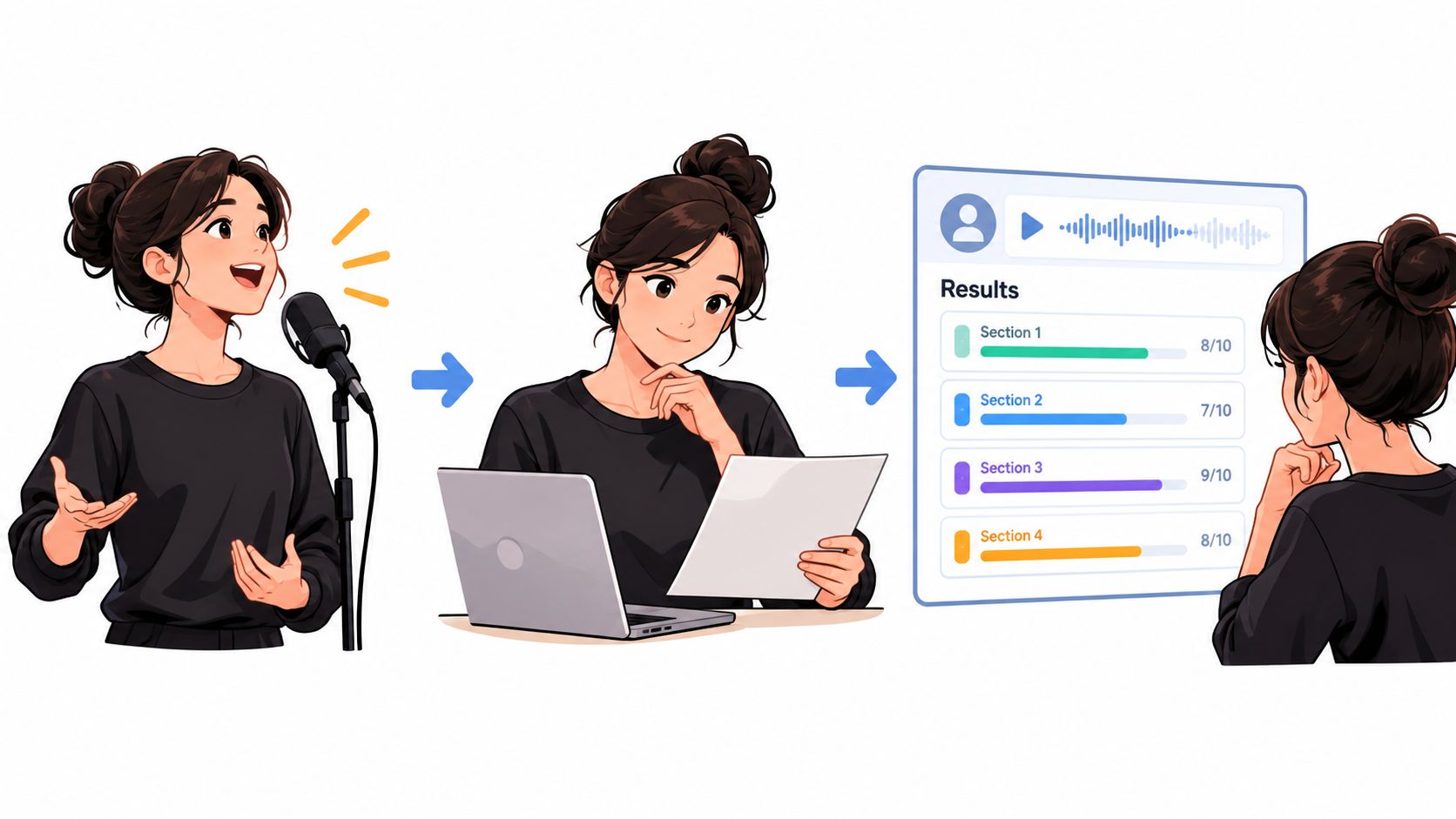
A waveform can look tidy while the vocal sounds unusable. The dependable test is a controlled listening pass against the original, with both files played at similar loudness. Headphones help expose artifacts, but speakers should also be used if the result will sit in a mix.
Start with the verse at a moderate or low level. Listen for complete consonants, natural phrase movement, and whether the lead remains intelligible without any accompanying tracks masking it. A quiet verse can reveal missing breaths and over-attenuated syllables that disappear inside a loud chorus.
A practical listening pass
- Verse: Check the beginning and end of each phrase. Reject a pass if normal words become hollow, chopped, or difficult to understand.
- Chorus: Listen for pumping, clipping, high-frequency smear, and accompaniment leakage. Loud sections often expose problems hidden by the verse.
- Sibilants: Focus on S and T sounds. Cymbals and snares occupy similar high-frequency territory, so doubled consonants or watery treble can become obvious here.
- Sustained notes: Hold your attention on long vowels. Guitar, pads, and reverb may follow the same note and remain underneath it.
- Bridge or breakdown: Quiet arrangements expose residual music. Check whether the supposed acapella still carries a recognizable musical bed.
- Reverb endings: Listen after the final consonant. A clipped tail can sound unnatural, while a long musical wash may still contain unwanted accompaniment.
Academic evaluation commonly uses SDR, SIR, and SAR. SDR summarizes overall distortion, SIR reflects residual interference, and SAR captures artifacts introduced by processing. Those measures help compare systems, but they aren't a substitute for listening. Research has found that commonly used measures can be insufficient for judging singing-voice-separation quality, as discussed in this study of singing voice separation evaluation.
Approve the result based on its weakest important passage, not its cleanest ten seconds.
Compare the isolated output with the original at matched levels, then listen to the background output. A result is workable when the vocal stays musical and intelligible, the artifacts don't distract from the intended use, and the worst section can be edited or masked without damaging the production.
Troubleshooting artifacts and weak passages
Artifact diagnosis becomes easier when each sound points to a likely cause. Randomly rewriting the prompt can waste credits and make it impossible to learn which change helped. The better approach is to identify the audible failure, make one controlled adjustment, and recheck the same passage.
Watery or phasey high frequencies
A swirling top end often appears where the source has strong reverb, delay, cymbals, or stereo width. The vocal may still be present, but its sibilants and sustained notes sound synthetic.
Try a prompt that prioritizes the dry lead vocal and asks to minimize the room or reverb tail. If a less processed version of the song exists, it may be more valuable than another wording experiment. A cleaner TV track, or pre-acapella stem can also provide a better starting point when the finished master is heavily treated.
Missing breaths and soft consonants
When breaths, quiet endings, or low-level consonants disappear, the separator may have treated them as background. A more specific prompt can help, such as lead vocal, preserve breaths and soft consonants, include ad-libs. The rejected phrase should then be compared with the same phrase in the original, not judged from the isolated file alone.
A second pass can be useful when the tool offers adjusted sensitivity or re-rendering options. It shouldn't be assumed that a stronger setting is always better. Recovering a breath may also recover cymbal noise or room ambience.
Instrumental bleed on held notes
A pad or guitar can share the same pitch region as a sustained vocal. Listen to Background audio to confirm whether the suspected instrument is present there. If the instrument remains strong in the background output, the isolated note may be carrying residual accompaniment rather than a problem with the vocal prompt alone.
A target such as clear lead singing voice, prioritize the vocal over melodic instruments can provide a more focused request. If the held note still contains distracting bleed, keep only cleaner phrases and replace or edit the weak passage rather than forcing the entire track to work.
When prompt changes stop helping
Repeated tweaks won't recreate information that the mix never exposed. The online audio repair guide may help with a usable extracted file, but repair tools can't reliably restore a vocal that was removed or masked during separation. Keep both outputs, mark the strongest sections, and choose the version that fits the intended remix, practice session, or edit.
A 2025 study reported that increasing inference overlap improved source-separation quality by as much as 0.37 dB SDR, with efficient performance reported around 75% to 87.5% overlap, as summarized in this acapella-maker troubleshooting guide. That finding supports a practical conclusion: one failed chorus doesn't prove the whole file is unusable, and a cleaner-looking waveform doesn't prove the audio sounds better.
Exporting, credit costs, and using your acapella legally
Export only after the listening pass is complete. WAV is the sensible choice for further editing and archiving because it preserves a production-ready file, while MP3 is useful for quick previews and sharing when a smaller file is more convenient. For music, 44.1 kHz is a practical sample-rate choice; 48 kHz makes sense when the destination project requires video synchronization.
Credit planning matters when a session includes several attempts. A straightforward budget might allow one vocal-isolation run, a second run if a cleaner take is needed, and any preview auditioning that counts against the available balance. Users should check the current displayed credit cost before downloading or re-rendering, rather than assuming that every preview or export is included.
Before export: Compare the approved passage with the original, confirm the output label, check the credit balance, and retain the source file alongside the separated result.
Rights require the same care as audio quality. The U.S. Copyright Office treats the musical composition and the sound recording as separate copyrighted works, and protection begins when a work is fixed in a form such as an audio file, as explained in the Copyright Office guidance for musicians. Removing vocals doesn't remove the copyright in the recording. The owner may control copying, distribution, and derivative works such as remixes or videos, and permissions for the recording and underlying musical work may need to be obtained separately, according to this Copyright Office explanation of sound-recording rights.
Public-domain status can support reuse when it applies to the specific work being used. It doesn't automatically clear a commercial sound recording, even when an older composition is public domain, as described in this Copyright Office guide to sampling and preexisting music. An isolated vocal remains derived from its source, so publishing, monetizing, or syncing it generally requires appropriate permission or a license. Personal study, private practice, and karaoke-style use can involve different legal considerations, but they shouldn't be treated as automatic clearance for public distribution.
Saturalabs lets creators upload supported audio or video, describe one audible source, and compare Isolated sound with Background audio for vocal extraction and karaoke preparation. Visit Saturalabs to run the separation, review the difficult passages, and check the current credit cost before downloading the take that fits the project.