
In this guide
A finished track is sitting in a folder, and one element keeps pulling attention. It might be a vocal hook that would work over a different groove, a break that ends too soon, or a chorus that could carry a shorter, sharper edit. The impulse is to open the DAW, stretch the file, add drums, and see what happens.
That impulse produces busy sessions and unfinished remixes. A better approach treats how to create a remix as a complete workflow. Purpose comes first, then source preparation, timing, arrangement, troubleshooting, delivery, and rights documentation.
Define the Remix Before Opening the DAW
A producer working from a finished recording usually has one useful asset and several unknowns. The asset might be the lead vocal, a memorable riff, or a break with strong rhythm. The unknowns include which elements can be removed cleanly, whether the tempo can change, and how much of the original identity should survive.
The intended function answers those questions. A dance extension needs a longer intro, steady drums, and space for mixing in and out. A shorter edit needs the hook earlier and fewer competing sections. A karaoke backing track needs the vocal reduced enough for a new singer, while a practice version may only need one instrument lowered or isolated.
Learn From the Break
Remixing developed from practical DJ techniques before it became a standardized studio workflow. In New York during the 1970s, disco DJs extended musical passages called breaks to keep dancers moving, and remix culture also drew from dub producers who emphasized, muted, or replaced parts of a recording. That history is documented in research on DJ performance and remix practice.
The practical lesson still holds. Identify the most useful musical section, repeat or rearrange it, and change only what serves the new context. DJ Kool Herc's first major party is commonly dated to 1973, and the period helped shape looping, scratching, and sampling as production techniques.
Original session files remain the best starting point when they're available. A lossless WAV is preferable to a compressed preview because it gives separation and time stretching less degraded material to work with. Separating a finished mix doesn't recreate the original multitrack session, and expecting it to do so leads to poor arrangement choices.
Write a Short Production Brief
- Identity element: Name the hook, lyric, riff, or break that listeners should recognize.
- Function: State whether the result is a club extension, radio edit, karaoke backing track, practice version, or new interpretation.
- Duration and arc: Set an approximate length and decide where energy rises, drops, and returns.
- Retention limit: Decide how much original instrumentation should remain under the new material.
That brief prevents a common failure. When every element changes at once, the remix can lose the reason the source was chosen.
Extract Only the Stems Your Remix Needs
Original stems aren't always available. When they're not, extraction should follow the production brief rather than curiosity. Requesting every possible element creates clutter, costs credits, and produces files that compete with each other in the arrangement.
Start with the one source the remix can't function without. A vocal-led edit needs the vocal tested first because the whole arrangement depends on whether exposed syllables sound usable. A karaoke version needs the vocal-free result tested first because leftover lead vocal makes the backing track fail its purpose.
Make One Focused Request at a Time
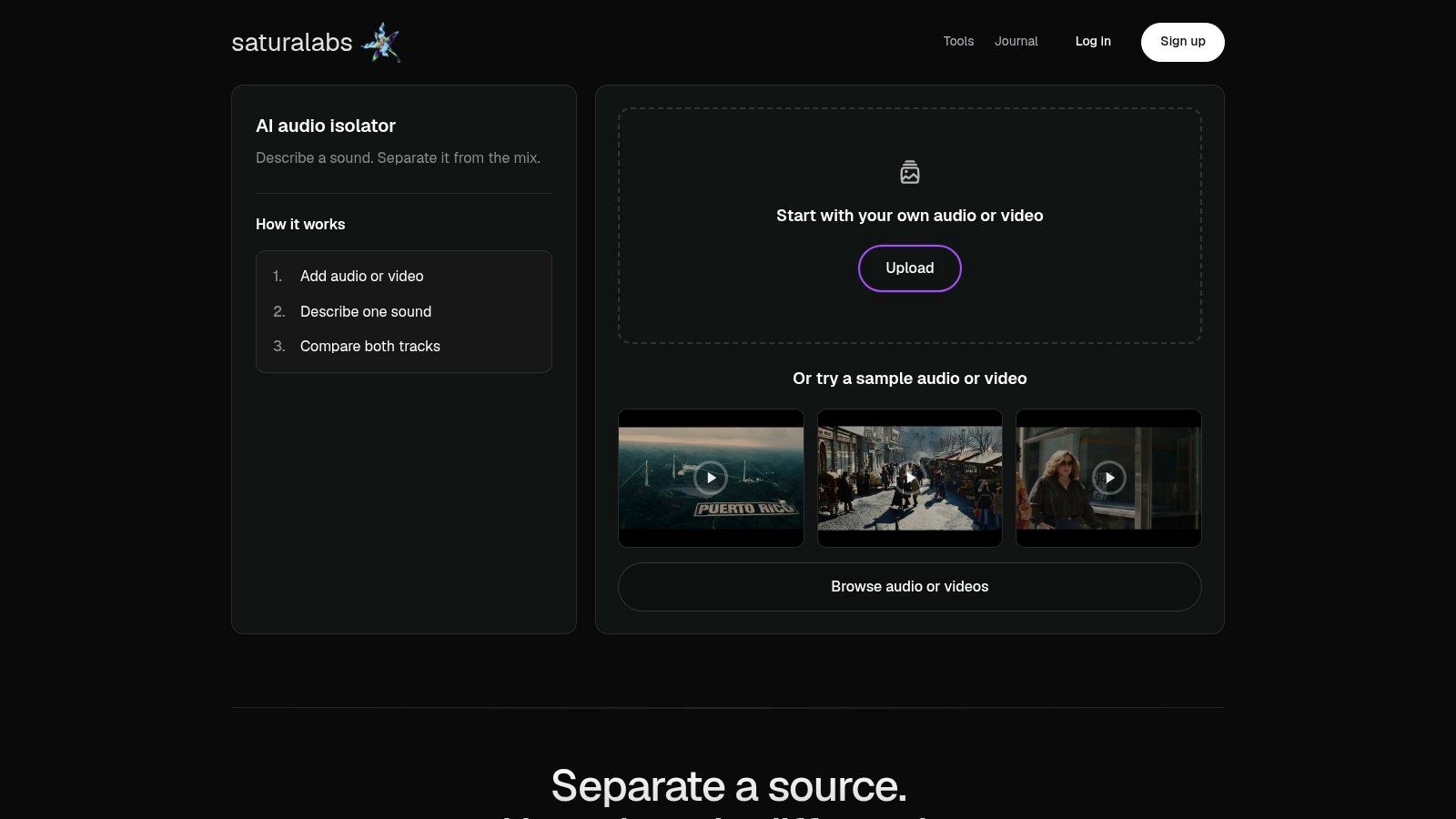
Saturalabs provides text-guided audio and video isolation. It accepts MP3, WAV, MP4, and MOV files up to 50 MiB (52.43 MB), and each prompt should name one audible source. Isolated sound keeps the named target, while Background audio is the remaining recording with that target removed.
Useful starting prompts stay plain and specific:
- Vocals: Choose Isolated sound for an acapella-style layer, or choose Background audio when auditioning a track without lead vocals for karaoke.
- Drums: Request this only when the original groove will remain in the new arrangement.
- Bass: Test it when the bass line defines the hook or needs replacement and comparison.
- Spoken voice: Use Isolated sound for speech taken from video or a mixed recording.
Don't combine targets in one request when the arrangement needs them controlled separately. A prompt that names several sources gives less control over balance, timing correction, and muting later. The distinction matters in the DAW, where each extracted file needs its own track, fader, and edit points.
For clearer wording, the guide to audio channels compared with stems helps separate channel layout from production stems before files enter the session. Clear terminology also helps when naming exports and documenting what each file contains.
Verify Before Downloading
Compare difficult passages against the original before downloading anything. Check the first vocal entry, a dense chorus, cymbal tails, reverb-heavy phrases, and quiet endings. Those sections reveal bleed, missing consonants, smeared transients, and unwanted instruments faster than a clean opening bar does.
Listening rule: If a target only sounds acceptable when buried under new drums, plan the arrangement around that limitation instead of exposing it solo later.
Separation quality depends on the source. Dense mixes, overlapping instruments, heavy reverberation, and strong compression can cause wanted sound to disappear along with unwanted bleed. No result should be treated as perfect or artifact-free.
Check the displayed credit cost before downloading. Then save the chosen file with a clear name that includes the target and output type, such as vocals isolated or vocals removed. That naming discipline prevents confusion once several versions reach the DAW.
Build a Stable Tempo and Key Grid
Extracted audio becomes useful only after it sits on a verified musical grid. Producers often skip this stage because the first loop sounds close enough. Small timing errors then compound across a full arrangement, and new drums expose every drift.
Begin with the source recording, not the remix tempo. Identify the original tempo, time signature, downbeats, phrase boundaries, key, and vocal entry points. Find a strong eight-bar or sixteen-bar section that can anchor the arrangement.
Align the Source Before Changing It
Ableton's stem guidance recommends setting the DAW tempo to match the source files before changing their tempo, then warping the audio when the project uses a different BPM. The same guidance recommends disabling Auto-Warp for long samples when importing stems because automatic warping can misread a file opening, especially one with leading silence, as explained in Ableton guidance on importing and exporting stems.
Place each stem on its own track. Align the first clear downbeat to the grid, then check the first chorus and at least one later section. If the later section drifts, correct it with warp markers or elastic audio at the drift point rather than applying one global stretch to the whole file.
Check timing with the metronome and with new drums muted. Effects, sidechain compression, and layered percussion can disguise drift without fixing it. The grid must work dry before production layers make the session harder to judge.
Choose the Right Timing and Pitch Treatment
| Remix decision | Best starting point | Listen for | Verify |
|---|---|---|---|
| Keep the original tempo | Match the DAW tempo to the source and align verified downbeats | Stable kick placement and phrase endings | First chorus and a later section against the grid |
| Change the tempo | Apply deliberate warp or elastic handling after the source grid is correct | Smeared transients, stretched syllables, and wobbling sustained notes | Exposed vocals, kick attacks, cymbal tails, and bass notes |
| Change the key | Test pitch processing on the hook before arranging around it | Doubled notes, thin vocals, and loss of bass weight | Solo check followed by a full-mix comparison at matched level |
Key changes deserve the same caution as tempo changes. Pitch tools can help match a vocal to new chords, but they can also damage formants, soften consonants, and make bass notes unstable. Test the change on the most exposed phrase first.
If the hook survives the new key at normal and low monitoring levels, build around it. If it doesn't, change the new instrumentation to fit the source instead. Correct timing before layering, and settle pitch decisions before the arrangement grows.
Arrange a Remix With a Clear Energy Arc
An arrangement isn't a pile of clever edits. It's a sequence of decisions about recognition, contrast, and momentum. The listener needs a reason to stay through the intro, a payoff when the hook arrives, and enough variation to justify the new version.
Preserve one recognizable identity element early in the planning. That could be the opening vocal phrase, a signature riff, or the rhythm of the original break. Recognition doesn't require keeping the whole record intact. It requires keeping the part that explains why this source was chosen.
Build Section by Section
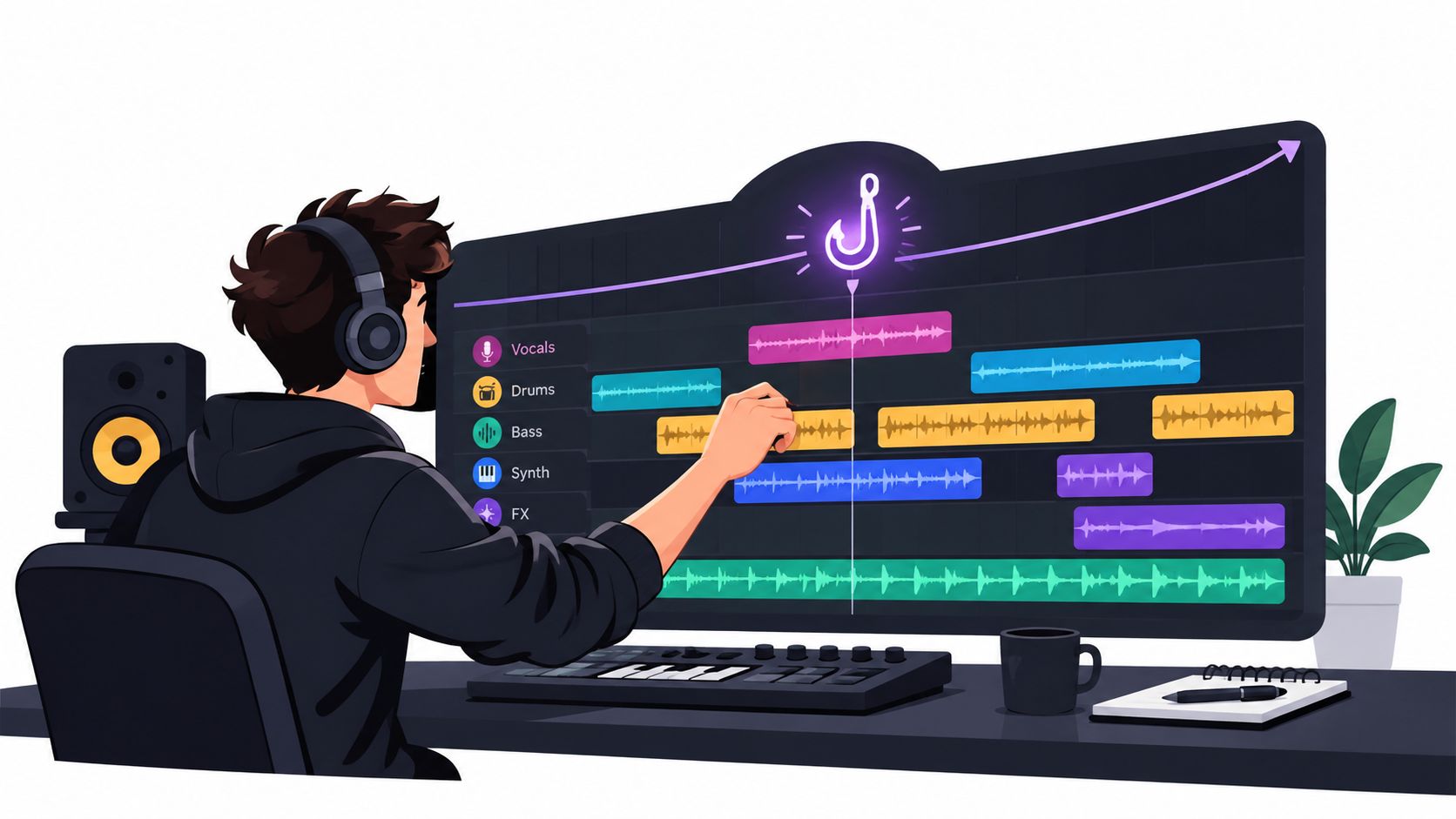
Start with an eight-bar or sixteen-bar intro built from a filtered loop, stripped percussion, or a fragment of the hook. Introduce drums and bass progressively rather than starting every layer at full level. Progressive entry gives later sections somewhere to go.
Reserve a breakdown for contrast before the strongest return. Remove the kick, thin the harmony, or expose a short vocal phrase if the extracted vocal can handle exposure. Then restore the hook with a controlled transition such as a drum fill, reversed tail, filter opening, or brief silence.
- Dance extension: Extend a strong break, vary percussion in small steps, and keep phrase lengths predictable for DJ mixing.
- Vocal-focused edit: Shorten competing backing passages, bring the lyric forward, and cut sections that delay the chorus without adding tension.
- Karaoke version: Audition the vocal-free Background audio against the original and leave space for a replacement singer without assuming the result is a clean studio instrumental.
- New interpretation: Re-sequence the hook, replace the harmonic bed, or transpose a motif only when the change creates a distinct identity.
Change One Dimension at a Time
Reversing, chopping, filtering, and re-sequencing all work when they serve the stated function. They fail when they're applied because the tools are available. Each move should answer a plain question. Does it increase momentum, create contrast, expose the lyric, or make the transition clearer?
A remix gains identity through selection, not through processing every stem until the source becomes unrecognizable noise.
Compare each major move against the full original arrangement. Soloed edits can sound impressive while weakening the complete track. Play the remix from the top without touching the session, and note where attention drops.
Fix those points with arrangement first. Shorten a repeated loop, move a vocal entry earlier, remove a layer from the breakdown, or let the hook return without extra effects. Strong structure reduces the need for corrective mixing later.
Keep alternate sections muted rather than deleting them immediately. A spare intro, an extended break, and a shorter outro can become useful versions. Label them clearly so the final export doesn't include an abandoned idea by mistake.
Fix Common Remix Problems Before Mixing
Most remix problems announce themselves through sound before they need technical labels. Start with the symptom, locate the passage where it's most exposed, and choose the least disruptive response. Heavy processing applied too early often hides the cause and damages usable material around it.
Phasey or hollow vocals can point to polarity issues, time misalignment between layers, or a source that can't be separated cleanly. Check alignment at sample level when combining an extracted vocal with any part of the original mix. If the vocal collapses in mono or thins when layered, remove the conflicting layer instead of adding widening or chorus.
Match the Symptom to the Response
- Cymbal smearing: Shared reverberation and overlapping drums often blur tails. Shorten the exposed section, replace the cymbal layer, or keep original drums lower under new percussion.
- Vanished bass notes: Pitch processing, compression, or separation can weaken low notes. Compare against the original, then layer a clean replacement only where notes are missing.
- Timing drift: Inspect warp markers at phrase boundaries rather than hiding drift with delay, reverb, or dense percussion.
- Bleed between instruments: Lower the extracted stem, mute it during exposed passages, or revise the target prompt and test a different section of the source.
Compare the isolated stem, the original, and any revised result at normal and low monitoring levels. Low volume exposes balance problems and harsh artifacts that loud playback can mask. Headphones reveal edits and tails, while speakers reveal whether the center image holds together.
Don't repeatedly download near-identical results without changing something meaningful. Change the target description, choose a cleaner source section, or return to better source material. Repeated downloads of the same request waste credits and rarely solve a source limitation.
Practical repair choices are covered further in the guide to online audio repair workflows, especially where restoration must stay separate from creative processing. That separation matters because repair aims to recover clarity, while remix processing may intentionally alter tone and rhythm.
For spoken material in a remix or video edit, prompt spoken voice and choose Isolated sound. For karaoke-style removal, audition Background audio and check choruses, ad-libs, and reverb tails carefully. A vocal that sounds absent in a verse may still be audible enough in a dense hook to make the backing track unsuitable.
Mix and Deliver the Remix for Translation
Mixing begins with balance, not loudness. Set each separated stem against the backing track at a moderate level and decide which element leads each section. The hook usually leads the chorus, while drums or bass may lead an intro built for mixing.
Use high-pass or notch filtering only where masking is audible. Removing low energy from every stem by habit can thin the track and expose separation artifacts. Automate vocal and hook levels across sections instead of forcing one static fader position to work everywhere.
Control Dynamics Without Flattening the Track
Apply bus compression conservatively. Listen for pumping on kick hits, flattened transients, and cymbal distortion. If the groove starts breathing with every kick, reduce compression or fix the balance that made heavy control seem necessary.
Measure the complete master with an ITU-R BS.1770-compliant loudness meter because integrated loudness and short-term loudness answer different questions. Spotify documents a default normalization reference of -14 LUFS integrated and recommends keeping the master below -1 dB true peak, with below -2 dB true peak when a master is louder than -14 LUFS, according to Spotify guidance on loudness normalization.
That target isn't universal. Broadcast-oriented material may use approximately -23 to -24 LUFS, so the delivery setting must match the destination. The explanation of peak level compared with loudness normalization clarifies why a peak reading alone can't predict platform playback level.
Check Translation Before Adding Limiting
Export a 24-bit WAV master when possible. Audition the encoded or platform-preview version because lossy encoding can change peaks, cymbal clarity, and stereo detail. Compare the result with the reference at matched loudness so louder playback doesn't get mistaken for better mixing.
Translation check: Headphones, nearfields, earbuds, and a quiet speaker should all preserve the hook, the bass relationship, and the vocal intelligibility.
Check mono compatibility for widened synths and separated vocals. A dramatic level drop, hollow center, or disappearing bass indicates phase or polarity problems. Fix those failures with arrangement, panning, EQ, or automation before reaching for a limiter.
Some source limitations won't disappear in the mix. Wanted sound may already be missing, reverb may be baked into a vocal, and heavy original compression may limit dynamic choices. A clean delivery respects those limits instead of crushing the master to conceal them.
Document Rights Before Publishing a Remix
A finished mix isn't automatically a publishable release. The U.S. Copyright Office defines a remix as an existing sound recording that has sounds added, changed, or removed, and its musician guidance explains that rights in the sound recording and the underlying composition may belong to different owners. Those distinctions are set out in Copyright Office guidance for musicians using preexisting material.
Creative transformation doesn't by itself guarantee permission. Spotify for Artists states that releasing a remix generally requires permission from both the owner of the original sound recording and the party controlling the composition, with accurate songwriter credit in the metadata, as described in Spotify for Artists guidance on knowing copyrights.
Keep a Release Evidence File
- Element inventory: Identify each borrowed master, composition, vocal performance, sample, and newly created part.
- Supplier record: Note who supplied each file and where the source came from.
- Written permission: Save approvals with the session and final project files.
- Scope check: Confirm platforms, territory, term, credits, downloads, monetization, streaming, and video synchronization.
Private arrangement testing and public release are different activities. Extracting vocals or removing background music doesn't grant reuse rights for streaming, social monetization, video use, or worldwide distribution. Treat any isolated file as derived production material until the relevant rights are verified.
Platform tools don't change that principle. YouTube states that its Shorts Cut tool samples a 1 to 5 second segment and its Sound tool can sample up to 90 seconds within those defined features, while material used outside its tools may receive a Content ID claim or removal, according to YouTube guidance on remixing Shorts. Check current platform rules and credit costs before release.
Start the next remix with legally usable source material, isolate only the vocal, drum, bass, or spoken element the arrangement needs, and compare every difficult passage before downloading. Visit Saturalabs to run that focused isolation workflow, then keep the resulting files, session notes, and rights evidence together until the remix is ready for delivery.