In this guide
An AI audio splitter estimates one named source from a finished mix and returns Isolated sound plus Background audio, it doesn't recover the original session stems. A video editor with music under an interview, a singer who wants a karaoke bed, or a student trying to hear one guitar part may all start with the same finished file. Their jobs differ, so the prompt and the output worth keeping differ too.
That's where many first attempts go wrong. The reader asks for "clean audio," hears the target get quieter, and downloads. A calmer test works better. Judge whether the material needed for the edit survived, not whether the unwanted sound merely disappeared.
What an AI Audio Splitter Gives You
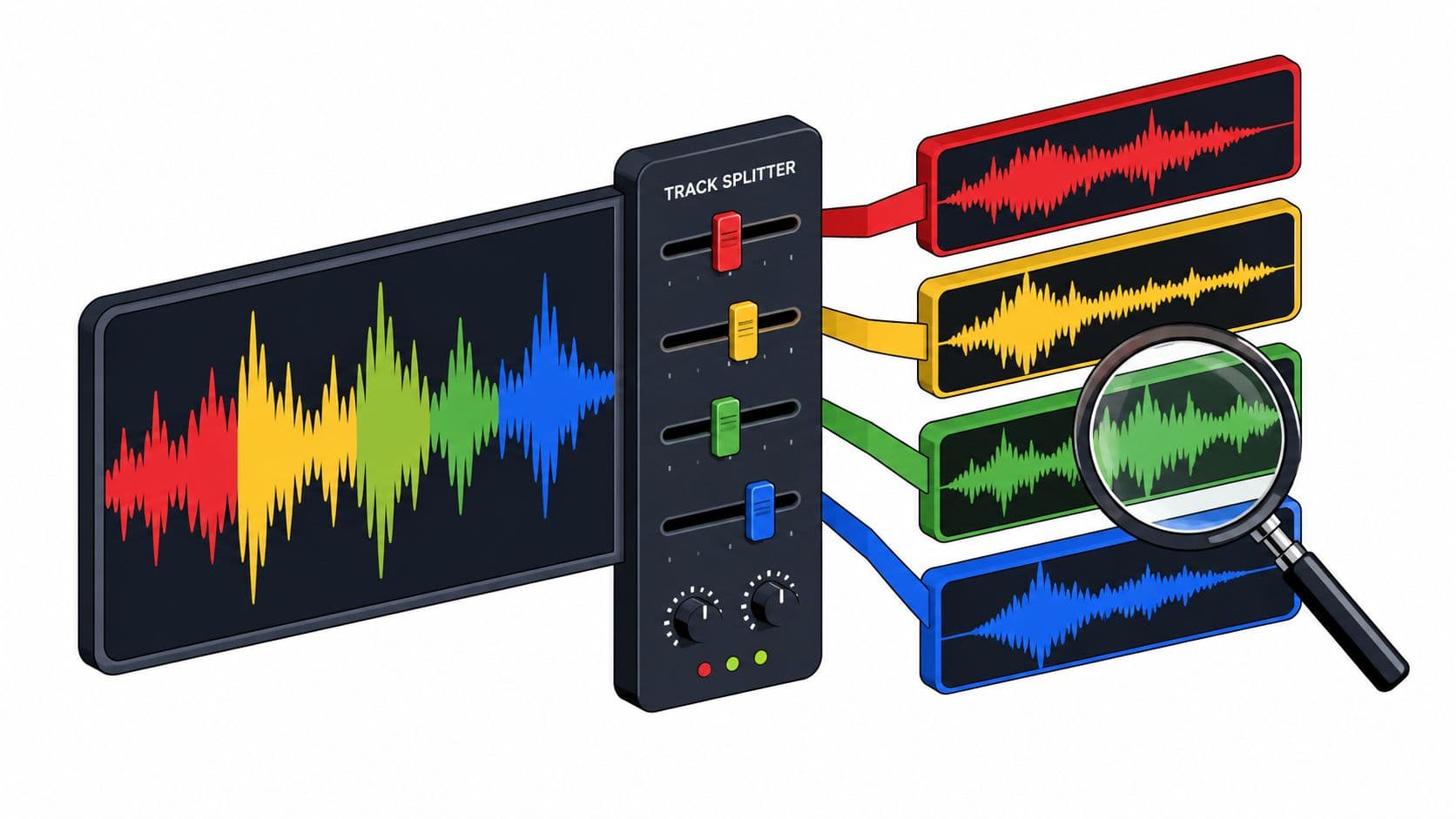
An AI audio splitter gives back two files from one pass. Isolated sound keeps the source named in the prompt. Background audio is the rest of the recording with that source reduced.
Neither file is a recovered multitrack track. As an overview of audio source separation explains, separation estimates individual contributors such as vocals, bass, drums, or other accompaniment from a combined recording, and research groups common targets into four broad categories, drums, bass, other, and vocals.
Choose the output before the prompt
Each separation pass targets one described source, and the tool doesn't split every instrument at once. That's why "spoken voice" is a usable prompt and "clean everything" isn't. The first names a sound a listener can hear. The second names a hoped for result.
The basic workflow has three steps: add audio or video, describe one sound, then compare both tracks. Readers who confuse left and right channels with separate sources can clarify that distinction in the audio channels versus stems guide.
Which output to keep for each split
| Job | Prompt | Output to keep | Listen for |
|---|---|---|---|
| Dialogue or interview | spoken voice | Isolated sound | Quiet words and consonants |
| Karaoke backing track | vocals | Background audio | Lead vocal, doubles, and vocal reverb |
| Acapella | vocals | Isolated sound | Missing notes and metallic tone |
| Single instrument practice | one instrument you can hear | Isolated sound | Bleed and lost attacks |
| Music bed under speech | background music | Background audio | Speech removed or left behind |
| One sound effect | the effect you hear | Isolated sound | Effect tail and room tone |
Read the table as a decision
For dialogue, the risk isn't leftover music alone. It's a soft word at the end of a sentence vanishing with the music. For karaoke, the risk is different. A doubled chorus or vocal reverb may remain in Background audio even when the dry lead drops away.
Practical rule: Keep Isolated sound when the named source is the material needed. Keep Background audio when everything except that source is the material needed.
A prompt such as "vocals and guitar" breaks that decision. It asks one pass to serve two jobs. Run one pass for vocals, judge it, then run a separate pass for guitar only if the first result justifies more work.
How Text-Guided Separation Estimates One Source
A phone video captures a speaker, room tone, and a door closing near the end. Text-guided separation estimates one described sound from that mix. Add a supported MP4 or MOV, describe an audible source, then review Isolated sound and Background audio. The two outputs are estimates, not pre-existing tracks.
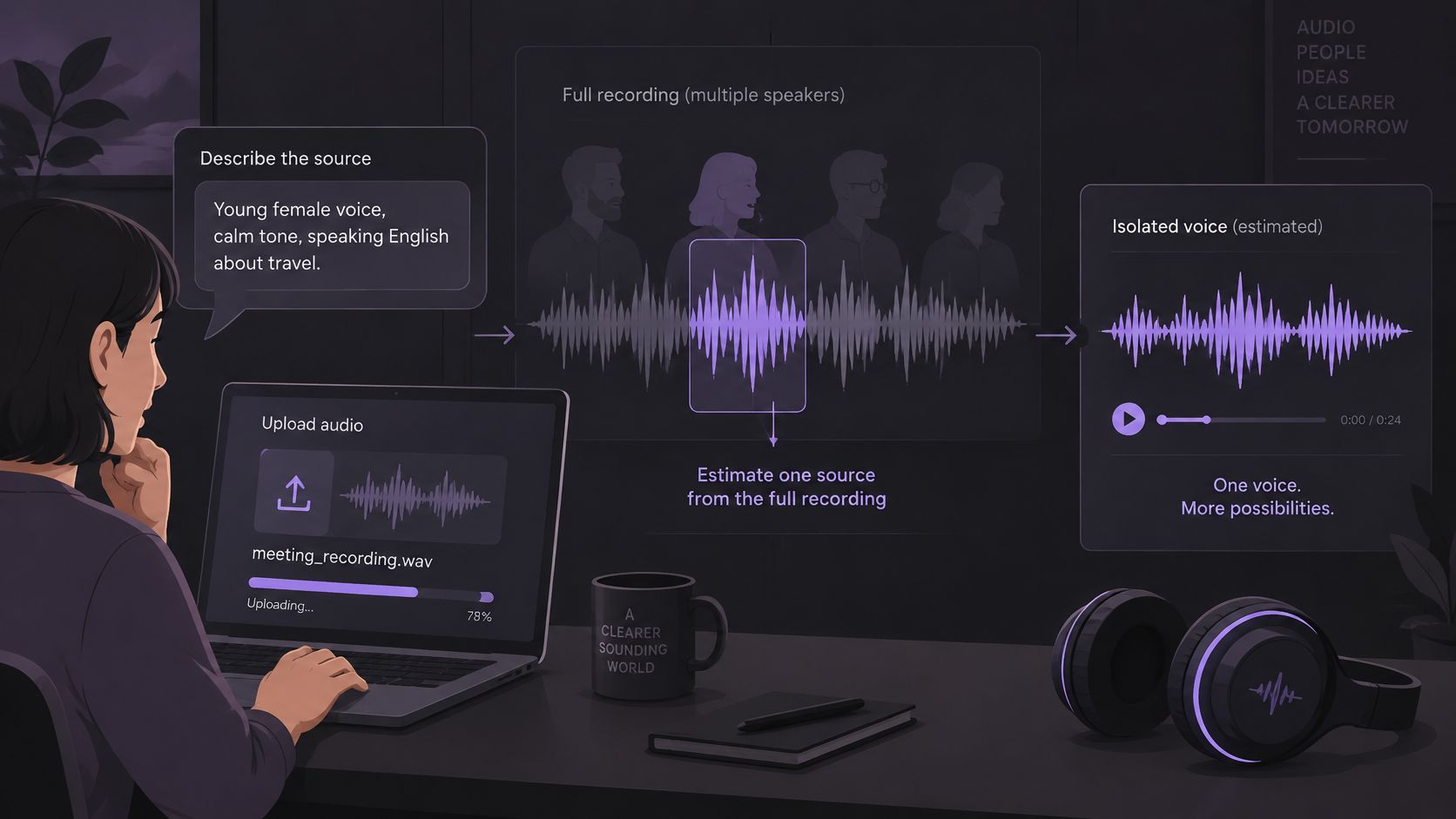
Earlier approaches used hand-built time and frequency masks. Modern systems use neural networks trained on mixtures paired with isolated sources. In a lab, researchers can compare an estimated source with its reference stem. That controlled comparison helps measure separation, but it cannot show whether every useful word or sound will survive in a particular recording.
A labeled shelf with only four labels
The MUSDB18 benchmark described in a 2025 Nature article contains 150 full-length stereo music tracks, each divided into vocals, drums, bass, and other accompaniment. The labels work like four bins. Vocals go in one, drums in another, while several instruments share the “other” bin.
Acoustic guitar, piano, and strings do not have separate labels in this setup. A system may still try to isolate one of them, but the request asks for a finer distinction than the benchmark labels represent.
Speech and room sounds also differ from those music categories. A door closing on its own may be easier to follow because it is distinct in time. Speech under changing music is harder to separate. Either way, judge the result by whether the material you need remains, not only by whether the target seems reduced.
What lab numbers can and cannot tell a user
Laboratory separation scores vary by system, and they do not predict results on real-world recordings. SDR compares an estimate with a reference while accounting for distortion. A score from a controlled test cannot guarantee that a quiet word, a note, or a sound's texture will remain usable in a podcast or reverberant room.
For a pass, describe one source: “spoken voice,” “vocals,” or “door closing.” A prompt names what to estimate, not the quality of the result. Requests such as “vocals and guitar” ask one pass to do two jobs, while “studio quality” does not identify a source. Make one pass per target, then assess whether the needed material survived.
Voice descriptions have limits too. Describing a voice does not identify a person by name, and another speaker may also remain in the output. If two similar voices overlap, listen for whether the intended speaker's words survived rather than assuming the estimate followed the right person. Separation is an editing step, not a guarantee of a clean or complete track.
Rights Separation Does Not Clear
Removing one layer doesn't clear a file for publication. A backing track can still contain the composition after the lead vocal is reduced. An isolated vocal can still contain lyrics, melody, and a recognizable performance.
The U.S. Copyright Office guide to recorded music explains that copyright can apply separately to the underlying musical work and to the sound recording, and that protection begins when a work is fixed, for example in an audio file. Owners generally control copying, distribution, public performance or display, and derivative works such as remixes or videos.
Two rights can sit in one song
That split explains a common misunderstanding. Permission related to a recording doesn't automatically settle rights in the song itself. Permission to use a composition doesn't automatically settle rights in a particular recorded performance.
Separation changes the audio. It doesn't change who owns those layers. A cleaner stem, a paid credit, or the absence of a vocal doesn't create permission to distribute a result or imitate a performer.
A yes or no gate before upload
The decision differs by use. Personal practice, classroom use, client delivery, and a public post aren't the same decision. Local rules and the destination platform can also change the answer, so this isn't legal advice or a clearance checklist.
- Ownership confirmed: The user owns the file or holds permission for the intended use, and can keep a record of the source and license.
- Permission unclear: The user can't show a right to the file and the intended use. Don't upload it for that use.
- Remix planned: A derivative use needs its own rights check, a point worth keeping in mind alongside the creative steps in how to create a remix.
Separation is an editing operation, not a rights clearing mechanism.
That gate belongs before processing, not after a download. If rights are unclear, a better sounding result doesn't fix the problem. The file should wait until permission or a valid legal exception is clear.
How to Split One Source in Saturalabs
Start with a short, difficult passage rather than a full song or episode. A passage where the target overlaps another sound reveals problems quickly. Keep the original untouched for comparison, and use the guide to preparing audio for AI isolation if the source needs trimming or a cleaner export first.
Seven moves for one pass
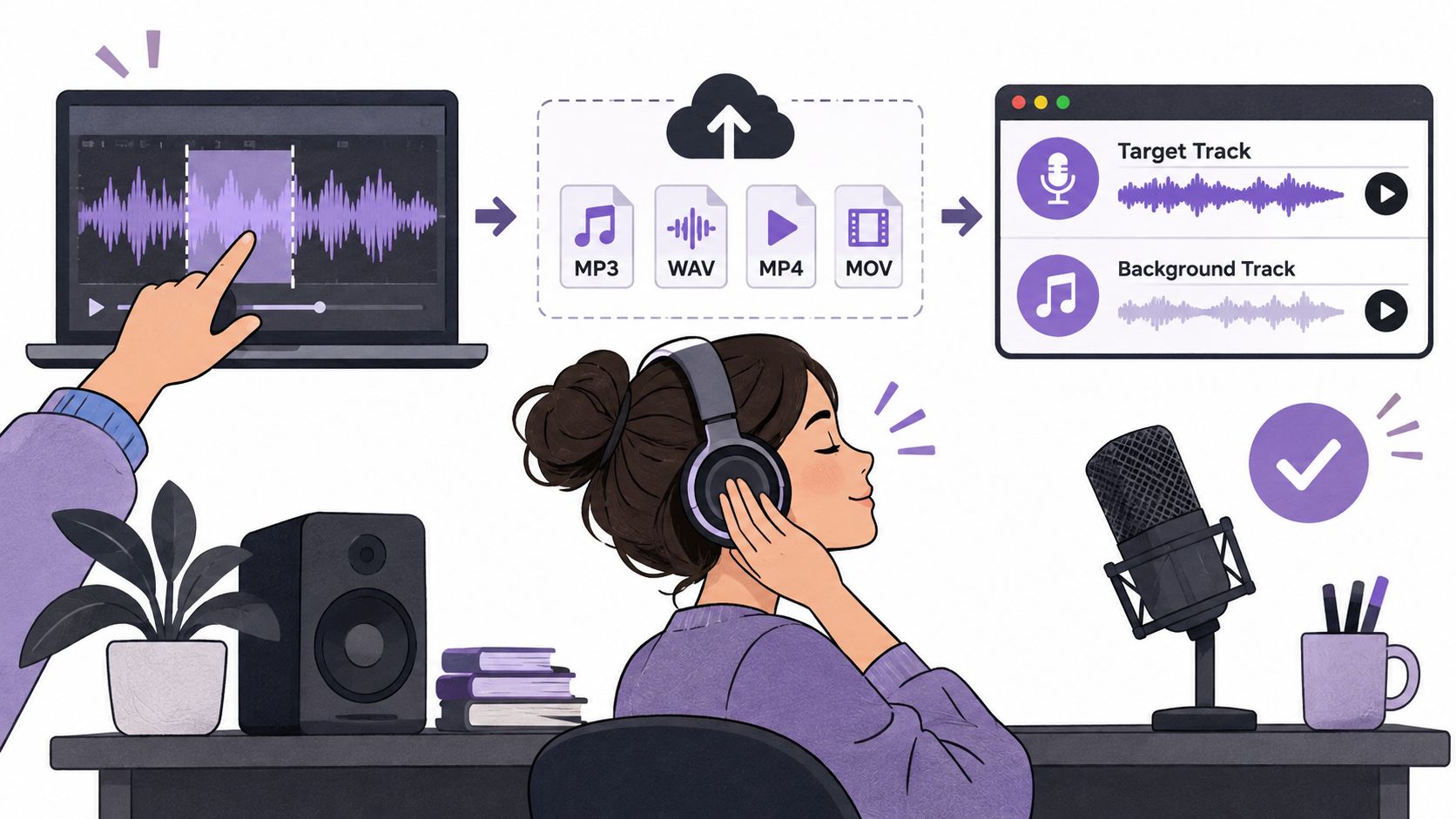
- Pick the test passage: Choose a moment where sources overlap, such as music under a quiet line of speech.
- Upload the file: Saturalabs accepts MP3, WAV, MP4, or MOV up to 50 MB.
- Type one audible source: Use "spoken voice," "vocals," "drum kit," or "door closing," not a list.
- Start the separation: Don't change the goal midway by judging a different source than the one named.
- Play the output that matches the job: Choose Isolated sound for the named source or Background audio for the remainder, then check the other output too.
- Check the cost before download: The results screen shows the credit cost before the chosen WAV is downloaded, and downloads require an account and sufficient credits.
- Place video audio back with picture: Separated tracks download as WAV audio, and a video upload produces separated audio rather than a finished video, so align the WAV in a video editor.
Three short examples
Dialogue: Prompt "spoken voice," keep Isolated sound, and loop a quiet sentence against the original. If consonants drop out, the pass hasn't passed, even if the music is gone. A steady hiss is a different problem from music under speech, so don't treat every noisy interview as the same separation job.
Drum kit: Prompt "drum kit," keep Isolated sound, and loop one fill. Listen for the attack at the start of hits and for cymbals turning thin or splashy. A chorus loop can hide damage that a fill exposes.
Door closing: Prompt "door closing," keep Isolated sound, and check the tail after the main impact. Room tone may be cut with the effect or left behind. For a sound design edit, that tail often decides whether the effect can sit in a new scene.
A second source needs a new pass. Don't rename a failed prompt with three extra targets and hope for a better result. Shorten the passage or narrow the source name instead.
A compressed MP3 may already have lost detail before upload. Don't judge a split from a tiny preview alone. Compare the download candidate with the best original available, at similar loudness, on the passage that matters.
Stop when the chosen track is good enough for the edit. Chasing the last trace of the other sound can cost more passes and damage the part worth keeping.
Bleed Versus Artifacts in Quality Checks
A single score hides different failures. SDR combines lost target, leftover interference, and processing damage into one number. SIR tracks bleed from other sources. SAR tracks artifacts the process adds.
Sorting a complaint into those categories tells the user what to do next. Bleed and damage don't call for the same fix.
Evidence that the two can trade off
On the 50-track MUSDB18-HQ test set, reported drum-stem results ranged from Spleeter at 12.6 dB SIR and 4.9 dB SAR to BS-Roformer at 18.9 dB SIR and 9.8 dB SAR. Higher SIR means less residual bleed. Higher SAR means fewer artificial artifacts.
Drum-stem bleed and artifact scores on MUSDB18-HQ
| Reported system | Drum SIR dB | Drum SAR dB | Balance |
|---|---|---|---|
| Spleeter | 12.6 | 4.9 | Lower interference suppression and lower artifact score |
| HT-Demucs | 16.8 | 8.9 | Midrange bleed reduction with moderate artifact score |
| SCNet-XL | 17.8 | 11.0 | Strong bleed reduction and the highest artifact score here |
| BS-Roformer | 18.9 | 9.8 | Highest bleed reduction here, not the highest artifact score |
BS-Roformer suppressed interference most strongly in that table, but it didn't have the best artifact score. SCNet-XL showed the opposite balance. Use that as laboratory context, not as a ranking to copy into a real edit.
Aggressive removal can sound emptier in solo while thinning attacks, ambience, room tone, or vocal timbre. A drum stem with less bleed isn't useful if the hits lose their shape. A vocal with less music isn't useful if the voice turns watery.
Name the complaint in one sentence
- Bleed only: The other source is still audible, but the target sounds intact. Try a narrower prompt or a cleaner, shorter segment.
- Damage only: The target sounds thin, metallic, or smeared. Keep the original or try the other output.
- Bleed and damage: The material is unlikely to survive the edit. Don't keep rerunning the same passage unchanged.
Overlapping sources, clipping, strong microphone wind, and heavy reverberation can limit the result before any prompt choice helps. Separation can leave bleed, change tone, or introduce artifacts, and it doesn't guarantee recovery of missing words or notes. If a word was buried or clipped in the original, a pass can't reliably invent it back.
Listening Checks That Show a Usable Result
Did the target disappear without damaging the material needed? That's the usable question. A track can sound impressively empty and still fail the edit.
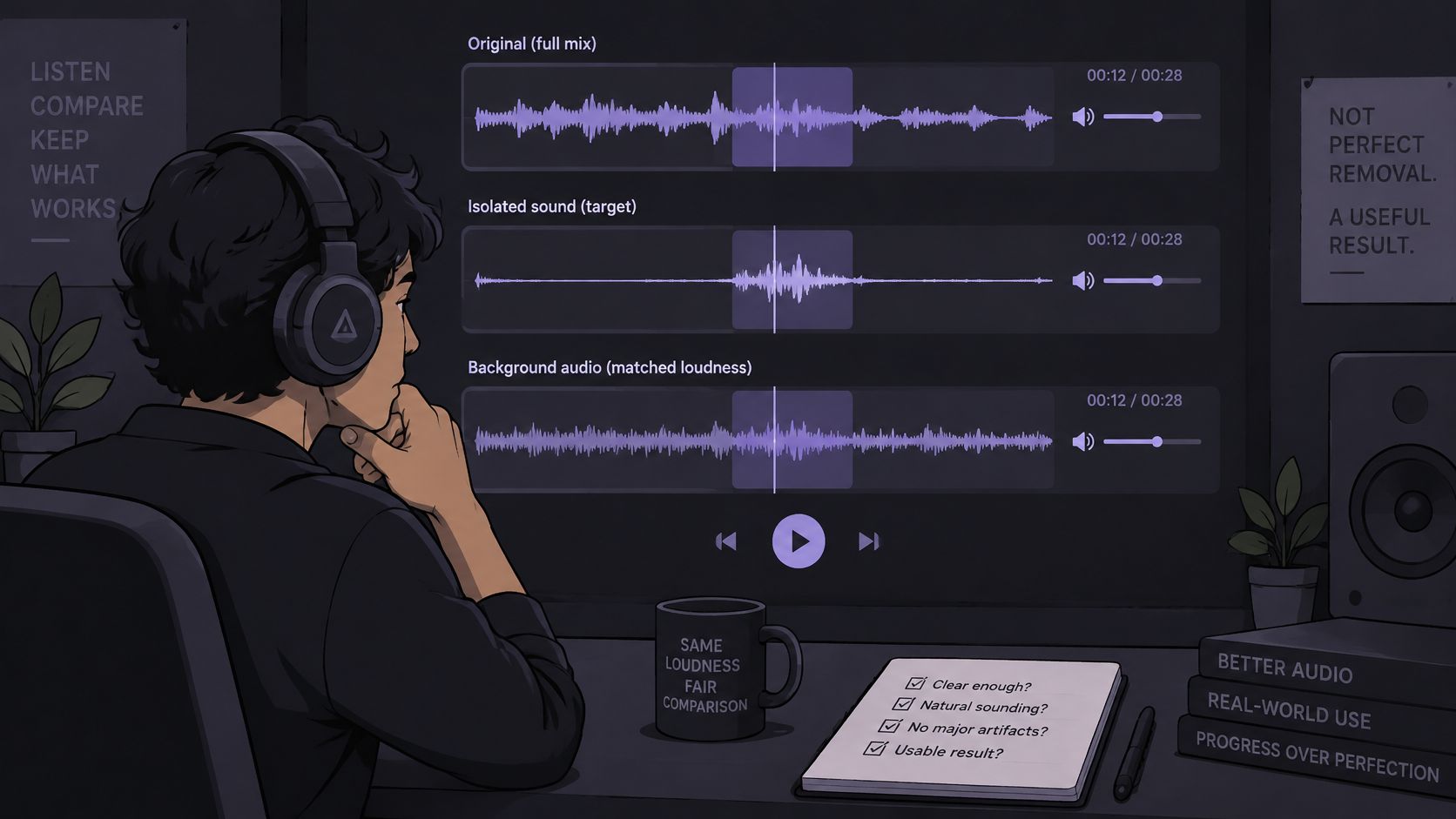
Published research on separation quality describes phase misalignment, spectral smearing, spectral holes, incomplete separation, and cross-source interference as ordinary limits, as summarized in research on judging separated audio quality. Those terms translate into plain listening checks.
A repeatable listening order
Compare the original, Isolated sound, and Background audio at matched loudness. Start with the hardest moment, not the loudest chorus. Use a soft consonant, a cymbal hit, a bass attack, a reverb tail, music under speech, or two instruments playing together.
Play the output planned for disposal too. A clean sounding target can still leave that source in the other file. For karaoke, that check reveals whether Background audio still carries a lead phrase. For dialogue, it reveals whether speech was pulled into the remainder.
Then check the beginning, middle, and end. Separation quality can drift as an arrangement changes. Listen on headphones and on speakers, because each exposes different problems. Headphones reveal watery edges and quiet residue. Speakers reveal whether the result feels thin in a room.
Sum to mono if the result may be played that way, as many phones and public systems do. If compression or a loudness boost comes next, try it on a copy before downloading. Processing often makes metallic or smeared edges more obvious.
Symptoms and fixes after a listening check
| Symptom | Likely cause | Next move |
|---|---|---|
| Other source still audible in Isolated sound | Bleed from incomplete separation | Narrow the prompt to one source and rerun the same passage |
| Target sounds watery, metallic, or smeared | Processing artifacts | Keep the original or the other output and avoid heavy compression |
| Quiet words or consonants missing | Target lost in noise or overlap | Return to the original recording or use a cleaner segment |
| Karaoke backing track has vocal residue | Lead or double vocal left in Background audio | Accept if the bed still works, otherwise shorten the clip |
| Cymbal attack or reverb tail thinned | Aggressive removal affecting ambience | Compare at matched loudness and keep the less damaged output |
| Two sources both sound weak | Two sources named in one prompt | Run a separate pass for each source |
Know the stop rule
A karaoke bed may tolerate a little vocal residue if a singer will cover it. A dialogue edit that loses words shouldn't be forced. Return to the original, use another recording, or repair the edit manually.
At the end of the check, the decision should fit in one phrase: keep, redo with a narrower prompt, or abandon the split. Don't download until that decision is clear. A changed sound isn't the same as an improved usable mix.
Take the Passed Pass to Your Edit
Once a short passage passes, run the same single prompt on the full passage planned for use in the Saturalabs Audio Isolator. Don't improvise a new prompt at that stage. The passed wording is part of the result.
Collect four things first
- The original file: Leave it untouched, in MP3, WAV, MP4, or MOV format up to 50 MB for upload.
- The exact prompt: Copy the source name that passed, word for word.
- The passage times: Note the start and end so the same section can be found again.
- The output to keep: Decide on Isolated sound or Background audio before the run starts.
Expect an estimate for that one description, not a guaranteed clean stem. Read the credit cost on the results screen before downloading anything. A file passes when it works for the edit at hand, not when every trace of the other sound is gone.
Current plans illustrate the credit scale without replacing the cost shown for a specific file. The Starter plan costs $7 per month and includes 150 credits per month and 15 minutes of audio isolation. The Pro plan costs $22 per month with 600 credits and 60 minutes, while the Studio plan costs $37 per month with 1,200 credits and 120 minutes.
If a consonant, cymbal, or reverb tail fails on the longer run, change one variable at a time. Shorten the passage, narrow the source name, or switch outputs. Then align the downloaded WAV with the picture or mix it into the project and listen once more in context.
Bring the exact prompt that passed a short test, name one audible source, and compare Isolated sound and Background audio against the original before spending credits on a download. Saturalabs offers text guided audio and video isolation for dialogue, vocals, instruments, music beds, and sound effects in the browser. Start that single source pass at Saturalabs.