
In this guide
A wedding singer has the set list finished except for one song. The only file available is the finished stereo master, the catalog karaoke version sits a step too high, and the gig is Saturday.
That's the shape of the problem behind how to get backing tracks of songs. Three routes exist, and only one of them is the vocal-removal button most tutorials start and end with. The rest of the job is picking the route that matches the use, running one clean pass, and then listening to the passages where separation tends to fall apart before spending credits on a download.
Choose the Right Route to an Instrumental
Each route to a song without vocals fails in a different way, so the choice comes down to which failure your use can absorb.
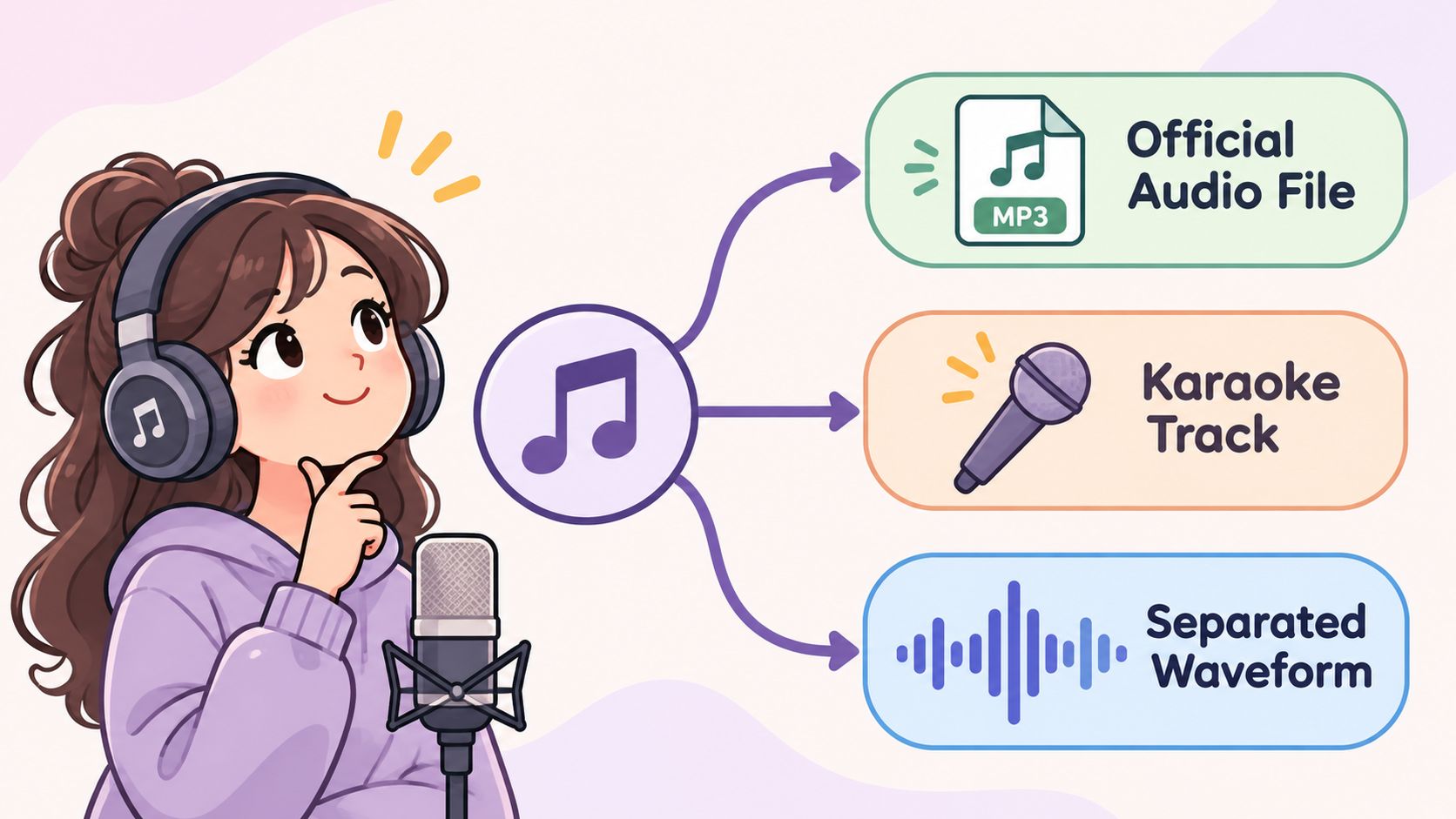
The cleanest source is an official backing track or stem package released by the artist, label, or producer. It is the only route that hands over the actual multitrack audio, so the vocal can be muted rather than estimated. Its limit is legal rather than technical: the file is usable only inside the license that comes with it, and plenty of releases ship with no usable license at all.
Licensed karaoke catalogs are the second route, and they predate every separator by decades. Japan's accompaniment-tape industry was already selling eight-track backing tapes by 1970, and musician Daisuke Inoue built the first karaoke machine, the 8JUKE, around that format in 1971, renting it to bars where customers paid 100 yen per song, according to Japan's government information service. The catalog business still runs on specific terms rather than goodwill: global karaoke royalty collections reached €112 million in 2024, and karaoke accounted for 4% of the live-and-background income category, per CISAC figures reported by Axiobench. The trade-off is built into the product. A catalog version is a re-recording, so the key and arrangement are the catalog's choices, and the license grants only what that catalog's terms allow, which often stops short of releasing the track under your own recording.
The third route is separation from a file you have the rights to process. It is the only option when nothing licensed exists, and the right one for practice, study, drafts, and rights-cleared projects. It is also the only route that carries audio defects, because the result is an estimate made from a finished mix.
| Route | Typical source | Best use | Main limit |
|---|---|---|---|
| Official instrumental or stems | Artist, label or producer release | Reuse that the license allows | Only usable within the license terms |
| Licensed karaoke version | Licensed karaoke catalog or service | Singing along in practice | Fixed key and arrangement, and use limited to the catalog's terms |
| Separated backing track | A file you have rights to process | Practice, study and drafts | Artifacts, bleed and lost wanted sound |
The decision rule is short. If a licensed backing track fits the use, start there and skip the rest. If nothing licensed exists, separate the file you have, then treat quality control as part of the job rather than an afterthought. Private practice and publishing are also different thresholds: a file that is fine to rehearse over can still be the wrong file to release. A separated track is an estimate from a mix and never a rebuild of the session, and the explanation of what an audio stem actually is makes that gap concrete.
Isolate Vocals and Download the Instrumental
Most of the quality of a separated backing track is settled before the upload finishes. The source file, the wording of the prompt, and the honesty of the listening check matter more than anything that happens after.
A careful pass takes minutes. A careless one produces a file that sounds fine in the first verse and collapses under the chorus.
Start With the Best Source File You Have
Finished recordings are sums of separately recorded parts, which is why the idea of a vocal-free mix exists at all. Early multitrack machines in the mid-1950s carried two or three tracks on quarter-inch tape, four-track became a studio standard through the mid-1960s, and engineers used reduction mixes, known as bouncing down, to squeeze parts onto fewer tracks, as the National Library of New Zealand's recording history explains. Bouncing is why so many classic recordings can't be taken apart cleanly today: the parts were printed together decades ago.
The practical version of that history is blunt. If you can get the genuine stem or session file, use it, because the vocal track can be muted outright and nothing has to be guessed. Everyone else starts from a stereo master and asks a model to estimate.
Source quality then sets the ceiling. A lossless WAV exported from the master is the strongest starting point for a finished mix. A higher-bitrate MP3 is usually workable, with some smearing around cymbals and consonants. A low-bitrate streaming rip adds artifacts the separator will amplify, so check whether a better copy exists before processing. Play the file once and listen for muddy cymbals, clipped peaks, and heavy limiting, since those problems survive separation and get blamed on the tool.
Run One Pass and Describe One Source
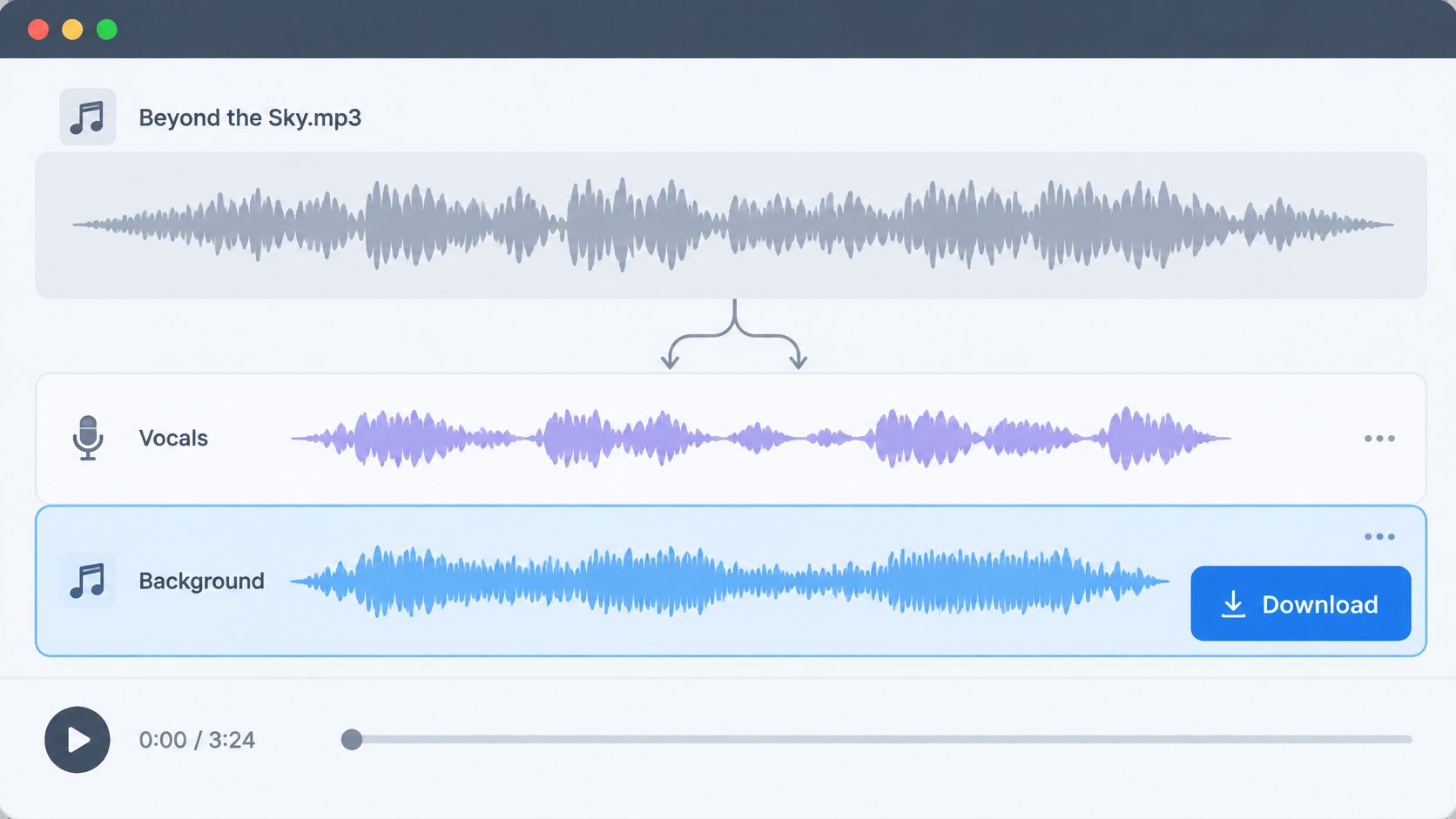
The workflow runs in three steps: add audio or video, describe one sound, then compare both tracks. Uploads can be MP3, WAV, MP4, or MOV files up to 50 MiB (52.43 MB), so convert anything exotic first.
- Name one audible source. For a backing track the description is vocals. A list of instruments in a single request produces a muddled result, because each pass targets one described source.
- Read the two outputs correctly. Isolated sound keeps the source you named. Background audio is the remaining recording with that source removed. For karaoke, Background audio is the file to keep, and Isolated sound is the acapella you don't want here.
- Compare before downloading. Play the original and the separated file at matched loudness through the intro, the loudest chorus, and one difficult bridge.
- Check the credit cost shown. Downloads need an account and sufficient credits, so confirm the price for the file you're about to keep instead of assuming the pass is free.
- Download the WAV and test it in context. Import it into your DAW or editor, set the level against your vocal or dialogue, and listen once on headphones and once on a small speaker.
Video needs one extra step. A video upload returns WAV audio rather than a finished video, so drop the WAV on a new audio track, line the first transient up against the camera audio, and check sync at the end of the clip. Drift shows up late in long files far more often than at the start.
| Source file | Expected result | What to check first |
|---|---|---|
| Original multitrack stems | Strongest case; mute the vocal track directly | Confirm the vocal track is complete |
| Lossless WAV from the master | Strongest separation from a finished mix | Dense choruses and cymbal hits |
| Higher-bitrate MP3 | Usually workable with some artifacts | Breaths, sibilants and cymbal smearing |
| Low-bitrate streaming rip | Weaker separation with more artifacts | Whether a better source exists |
| MP4 or MOV video | Separated audio tracks, not a video file | WAV alignment with the picture in your editor |
| Live recording with crowd or reverb | Partial results with bleed | Whether another take is available |
Judge the Result Before You Spend Credits
A separator estimates; it doesn't extract. Published MUSDB18 research puts a number on the ceiling: a waveform separator averaged 6.3 dB SDR, rising to 6.8 dB with 150 additional training songs, while still showing vocal-to-accompaniment bleeding and occasional hollow attacks or missing parts, as the MUSDB18 source-separation study reports. Treat that as a benchmark, not a promise for your song. A sparse studio mix may separate cleanly, while reverb, doubled vocals, distortion, and stereo widening create warbling and leakage.
Standard benchmarks are narrow as well. DSD100, a published benchmark of 100 multitrack recordings, is organized around a handful of sources rather than every instrument in an arrangement, so a request for saxophone or piano is a far more specific ask than those systems were built for, as the DSD100 benchmark research sets out.
When a pass disappoints, the fix is a narrower description on a fresh pass, not a longer prompt. Saturalabs doesn't export a four-stem pack or a separate file for every instrument, so plan for one target at a time and build your own library of exports.
Listen for Hard Passages Before Downloading
The first verse tells you almost nothing. It's sparse, the arrangement is uncluttered, and the separator has room to work. Defects live in the busy passages.
The audience for this check is larger than it looks. In a Water & Music survey of 1,525 musicians, 67% reported using AI for music-related work, and among those users stem separation or vocal isolation was the most common application at 71%, as Blunt Magazine reported. A structured listening pass is what separates a usable export from a file with a vocal ghost in every chorus.
Where to Listen
- The loudest chorus. Vocal layers, cymbals, and stacked guitars pile up here, so masking and bleed surface first.
- A bridge with exposed vocals. Breaths, sibilants, and doubled lines are where residue becomes obvious.
- Reverb tails after the last word of a phrase. Tails sit in the vocal range and often turn watery when the voice is pulled.
- Bass notes played under the singer. Low notes sharing the vocal band can thin out along with the target.
- The intro. Nothing should change where no voice exists, so any difference is a defect.
Match loudness before judging anything. A separated file often comes back slightly quieter or harsher, and the ear reads a level change as a quality change. Trim the extracted track so the chorus sits at the same perceived level as the original, then switch between the two.
Run a mono check as well. Fold both files to mono and listen for parts that thin out or vanish, which points to phase cancellation between channels. A backing that survives mono will survive a phone speaker, a bar PA, and a laptop.
What the tool performs is suppression, not restoration. Research literature treats vocal suppression as a way to create karaoke versions from original recordings while framing it as a separation problem rather than a guaranteed reconstruction of the studio backing master, according to the ISMIR transactions paper on music source separation.
Audition both outputs on every pass, the retained target and the remainder, so you know what was taken and what was left behind. The version with the least vocal isn't automatically the best one, because a faint trace beats hollow drums or a guitar part with no attack. For wording examples, the audio isolation prompt guide shows how narrow a description should be.
Fix Ghost Vocals, Hollow Drums and Missing Parts
A ghost in the chorus is the defect that comes up most often, and usually the tool did exactly what it was asked to do. Doubled leads, stacked harmonies, and backing singers all occupy the same spectral region as the lead, so one vocals pass leaves residue behind. Voice-from-accompaniment separation is a hard estimation problem, described as "very challenging" in a kernel spectrogram separation study, which also found the estimated background can come out cleaner than the estimated vocal.
Backing singers are their own case. Ordinary singing-voice separation can pull human voices off the instruments without isolating only the lead when a group of backing vocals sits behind it, as research on singer separation explains. On a duet or a layered chorus, a broad vocals request either keeps several voices together or cuts more than intended. Both failures can look identical in the waveform, so the ear makes the call.
| Symptom | Likely cause | Fix |
|---|---|---|
| Vocal ghost in choruses | Doubled or harmonized vocals not fully removed | Run a second pass describing the lead voice, then compare the hook |
| Hollow drums or missing guitar attacks | Removal too aggressive; shared frequencies | Accept a faint vocal trace rather than lose the kit |
| Watery or phasey reverb tails | Tails overlap the vocal range | Compare tails at matched loudness against the original |
| Bass missing under the singer | Bass shares the vocal frequency range | Narrow the prompt to the lead voice only and recheck the low notes |
| Result does not match the prompt | Several targets combined in one prompt | Split into separate passes, one described source each |
| Warbling breaths or sibilants | Artifacts on quiet vocal material | Audition the quiet verse in context at full volume |
The pattern across every row is the same: change one thing, run the pass again, and compare the same passage in the Background audio. Each pass targets one described source, so a crowded prompt gets split into two runs rather than rewritten longer. A second pass spends more isolation time on that song, but it beats shipping a backing track with a ghost in the hook. For a fuller catalog of these defects and the passages that produce each one, see the guide to common vocal removal artifacts.
Decide Whether Your Instrumental Is Ready to Use
The audio question and the rights question are separate, and only one of them has a technical answer.
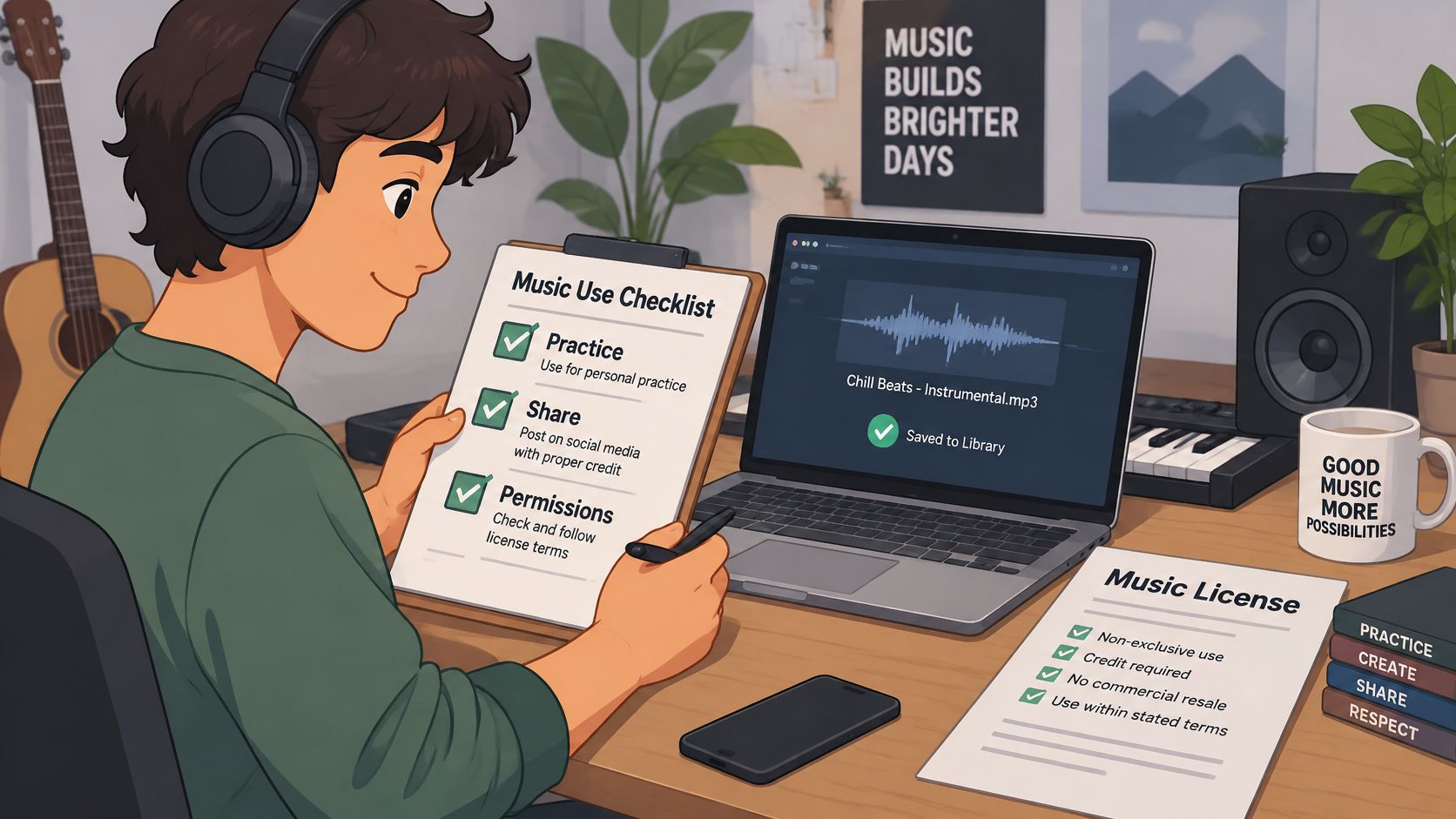
Pulling a backing track out of a recording doesn't grant permission to publish, monetize, distribute, or perform it. Three things can each carry their own permissions: the underlying composition, the original sound recording, and the new backing track file itself, as a licensing overview for cover songs sets out. Fair use isn't a universal permission either, and it varies by jurisdiction.
- Private practice or classroom analysis. Lowest risk. Keep the source file, note where it came from, and don't post the result.
- A public but noncommercial upload. Check the platform's policy first, since rights systems can affect monetization even when new vocals were recorded.
- A monetized video. Needs synchronization and master-use rights, not just permission to cover the song.
- A live performance. The venue's licensing covers some uses and not others, so confirm which before the set.
- A commercial release. Mechanical, sync, and master-use licenses, plus the territory you plan to sell in.
Sync money is real, which is why rights holders police it. Soundstripe reported $13.2 million in artist payouts in 2024, alongside an 87% increase in traditional synchronization revenue and a 54% rise in cue-sheet collections, according to coverage of its 2024 results.
Whichever path applies, archive the original beside the extracted file at the highest quality available, and record the source and the processing date. The MP3 versus WAV comparison covers what a lossy copy costs you later.
If the use is private, the listening check is the whole test: does the file hold up in the hardest passage? If it's public or commercial, clear rights before publishing rather than after a claim arrives.
Saturalabs handles the separation half of this workflow in a browser: upload an MP3, WAV, MP4, or MOV up to 50 MB, describe vocals as the target, and compare Isolated sound against Background audio before spending credits on the backing track you want. The karaoke step is the one where the remaining music matters most, so keep Background audio and check the chorus against the original before you download. Try it on the Saturalabs Vocal Remover when you have a file you're cleared to process.