
In this guide
The most popular advice on how to make karaoke tracks is also the least useful: remove the vocal, download the file, and call it finished. That approach judges success by whether the singer seems to disappear. A producer should judge it differently, by whether the remaining music still supports a live performance and by whether the track can legally be used for its intended purpose.
A separated file can be vocal-free and still fail as a backing track. Drums may lose attack, harmonies may linger in the chorus, and sustained instruments may develop holes where they overlapped the voice. The workflow below treats separation as an estimate to audition, not a perfect stem to trust blindly.
Make a Karaoke Track in Six Steps
A usable karaoke track keeps rhythm, harmony, structure, and timing cues intact so a singer can follow it with confidence. Karaoke developed in Japan around dedicated accompaniment machines before later systems added synchronized lyrics and visual cues. The workflow below reflects that standard. It treats separation as an estimate to audition, with success judged by difficult passages and usage rights.
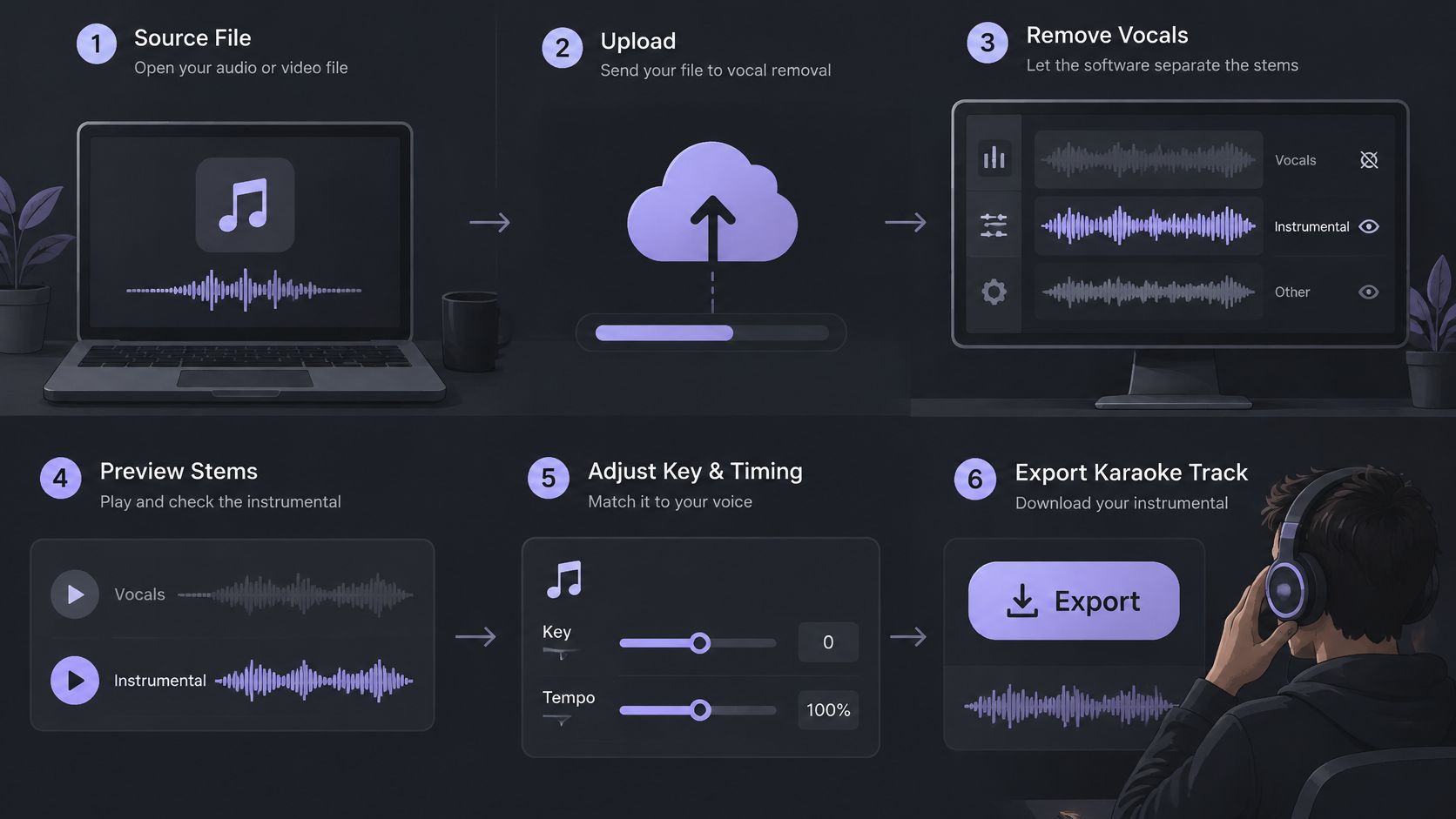
The Six Steps in Order
Choose the source recording. Start with a full stereo recording that is owned or authorized for processing, ideally as a WAV. A clean studio version gives separation more to work with than a live recording crowded with room sound and audience noise.
Upload the file. Supported types are MP3, WAV, MP4 and MOV, up to 50 MB. Separated tracks download as WAV audio, and a video upload produces separated audio tracks rather than a finished video, so the chosen audio must be aligned with the picture later in a video editor.
Type "vocals" as the prompt. Each pass targets one described source, so "vocals and drums" is not the right request. One clear prompt tells the system which sound to estimate and remove from the remaining mix. Producers who want help phrasing prompts for other sources can use the guide to writing single-source audio isolation prompts.
Review both outputs, then choose Background audio. Background audio is the remaining recording with the vocal reduced, and it is the karaoke track. Keep Isolated sound only as a diagnostic check for what was removed, including breaths or consonants pulled out with the lead.
Audition the difficult passages. Check the first vocal entrance, the chorus, and any section with cymbals or bass against the original. Judge whether the band still drives the song once exposed. Listen for smeared attacks, lingering harmonies, or holes in sustained instruments where they overlapped the voice.
Check the cost before downloading. Read the credit cost on the results screen before downloading the WAV. Skip the download when the chorus fails.
Practical rule: Treat the download as a backing track to test under a real vocal, not as a finished release.
Prepare the Source File Before Upload
Separation can only work with what the file contains. According to the Library of Congress guide to digital audio types, MP3 is a lossy format and encoding can discard some audio information, while WAV is generally uncompressed and lossless but creates substantially larger files. Compression artifacts that are barely audible in a full mix can become obvious once the vocal is reduced and the backing is exposed.
Upload Formats and What They Mean for a Backing Track
| Format | Compression | Upload limit | Effect on a backing track |
|---|---|---|---|
| WAV | Uncompressed and lossless | Up to 50 MB | Best source when available; long songs may exceed the limit, so trim first |
| MP3 | Lossy | Up to 50 MB | Works, but compression artifacts can become more noticeable after separation; use the highest bitrate available |
| MP4 | Video container; audio codec varies | Up to 50 MB | Returns the soundtrack as audio; check that the mix holds the song rather than dialogue or effects |
| MOV | Video container; audio codec varies | Up to 50 MB | Same as MP4; the output is audio only and must be aligned with the picture later |
Preparation Steps That Protect Quality
- Use the highest-quality version available: Prefer an uncompressed WAV over a low-bitrate MP3 whenever the authorized source allows it.
- Trim instead of compressing further: If a WAV exceeds 50 MB, trim it to the song or to the passage being tested rather than squeezing it into a smaller lossy file.
- Remove long silence: Cut empty space at the start or end so processing time and attention go to the music.
- Don't reprocess a separated file: Running another tool's output through a second separation stacks artifacts from both passes.
- Keep the original untouched: Preserve a clean reference copy for every comparison that follows.
Video sources need one extra check. Confirm that the soundtrack is the song, since dialogue, crowd noise, or effects may share the same track and confuse the result. The guide to preparing audio for AI isolation covers broader file preparation in more depth.
A clean, uncompressed source still doesn't guarantee a clean backing track. Vocals and instruments overlap in frequency, and that overlap limits what any separation pass can recover, no matter how good the upload is.
Choose Isolated Sound or Background Audio
The difference fits in one sentence: Isolated sound is Saturalabs' estimate of the named source, and Background audio is the remaining recording with that source reduced. For karaoke, Background audio is the deliverable. Isolated sound is a useful reference, not the track a singer performs over.
What Each Output Contains and When to Keep It
| Output | Contains | Keep it for | Listen for |
|---|---|---|---|
| Isolated sound | The estimated source named in the prompt, such as vocals | Practice, acapella checks, and seeing what was removed | Missing breaths, consonants and reverb tails |
| Background audio | The remaining recording with the named source reduced | Karaoke and backing tracks | Vocal remnants in the chorus, thinner drums or guitars |
| Original recording | The full mix that was uploaded | Reference for every comparison | Nothing to process; it's the benchmark |
| Spoken voice, Isolated sound | Estimated speech | Interviews and podcasts, not karaoke | Quiet words and soft consonants |
Applying the Decision Rule
Keep Isolated sound when the goal is the source named in the prompt, and keep Background audio when the goal is the rest of the recording with that source reduced. Applied plainly: to sing along, keep Background audio; to hear or practice the vocal line, keep Isolated sound; to judge either one, keep the original beside both.
Speech reverses the choice. A producer isolating dialogue should describe "spoken voice" and keep Isolated sound instead, because the voice is the content and everything else is interference.
Each separation pass targets one described source, and the tool doesn't split every instrument at once. Saturalabs doesn't automatically export a four-stem pack or a separate file for every instrument, so a karaoke track takes one pass with the prompt "vocals." If drums or bass are also needed as separate files, run another pass with one new prompt and keep each result in its own clearly labeled folder. Mixing outputs from different passes in one folder is how producers end up auditioning the wrong file.
Producers who aren't sure whether separate parts are needed at all should read the comparison of stems and audio isolation first. That decision shapes the whole session, because chasing individual instruments one pass at a time is a different job from producing one singable backing track.
Listen to Difficult Passages Before Downloading
Judging a backing track by an easy verse is the fastest way to download a bad one. A reliable check uses three short, difficult passages from Background audio, each compared with the original at exactly the same point. The MUSDB benchmark listing on SOTA2 shows why published scores can't replace listening, since reported vocal SDR values include around 4.6 dB for one benchmark listing and 8.36 dB with a ±0.17 dB standard deviation for another system under its own protocol. Those values aren't interchangeable, and neither one forecasts a specific song.
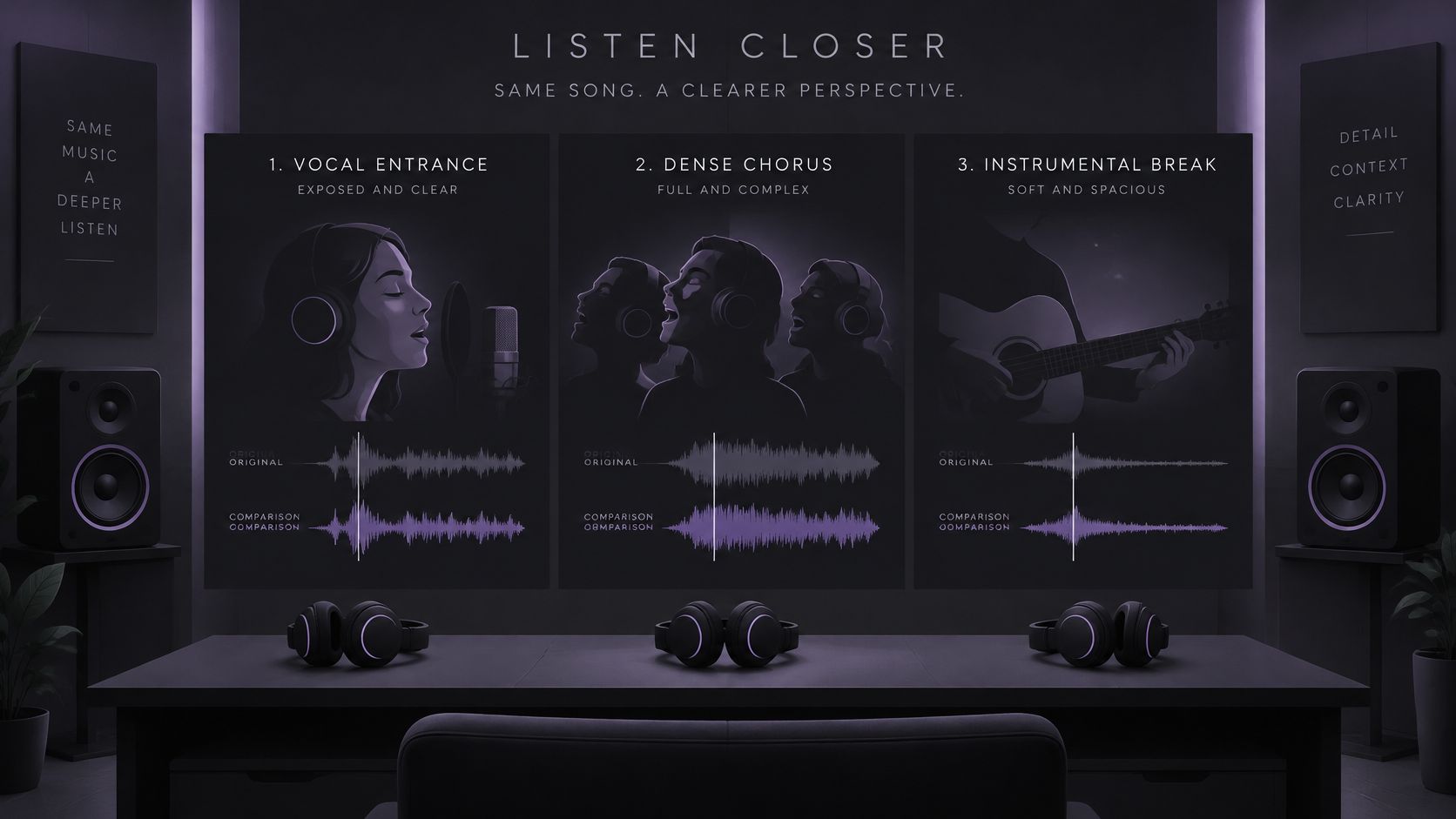
The Three-Passage Listening Sequence
Exposed vocal entrance: Start where a verse begins with little backing. Listen for vocal tails that remain after the lead should be gone, and for consonants or breaths that were cut so aggressively that the music dips with them.
Layered chorus: Move to the busiest vocal section. Doubled lines and harmonies often survive here because they sit wider in the stereo field than the lead, so listen for ghost vocals shadowing the melody a singer is supposed to replace.
Dense backing section: Finish with cymbals, bass, guitars, or synth pads occupying the vocal range. Listen for holes in sustained instruments, drums that lose their attack, and clipped transients where hits sound blunted.
Across all three passages, listen for the same family of artifacts: watery modulation, chirps, pumping, and reverb that stops abruptly instead of decaying. Separation can leave bleed, change tone, or introduce artifacts because systems estimate overlapping sources in a time-frequency view rather than working from the original multitrack session. That estimate can't recover missing words or notes that were never separable in the mix.
Repeat each passage at least twice, first in headphones and then in mono, because stereo imaging can hide problems that mono reveals immediately.
A passage that fails this sequence should be retested before any full download. Spending two minutes on the hardest chorus is cheaper than discovering, mid-performance, that the backing collapses exactly where the singer needs it most.
Fix Artifacts and Weak Results
The most common complaint is vocal remnants in the chorus, but it isn't the only failure mode. Each symptom points to a different cause, and each cause calls for a different response. Changing one variable at a time keeps the cause of every improvement, or every new problem, clear.
Symptoms, Likely Causes and Fixes for Backing Tracks
| Symptom | Likely cause | Fix |
|---|---|---|
| Vocal remnants in the chorus | Layered or doubled vocals overlap the backing | Rerun with "lead singing voice" if one singer leads, then compare the chorus again |
| Watery, chirpy or pumping sound | Artifacts from a compressed or dense source | Use the highest-quality WAV available and retest the hardest passage |
| Drums, bass or guitars sound thinner | Overlap with the vocal range | Accept only for practice if the loss is small; otherwise test another recording |
| Clipped peaks or distortion | Clipping in the source or the separation | Lower the source level, check the original for clipping, then retest |
| Reverb or harmonies still audible | Stereo reverb and panned or doubled vocals | Expect some remnant; rerun only if it blocks the part that's needed |
| Missing sounds or weak results | Overlap, strong wind, heavy reverberation or clipping | Use a cleaner recording or accept the limit for a rough practice track |
Working Through the Fixes in Order
Start with the chorus remnant, because it's the problem singers notice first. Conventional center-channel cancellation only removes material that's nearly identical in both stereo channels, and it can take centered kick, snare, and bass with it, while stereo reverb and doubled vocals remain. AI separation is more flexible, but its limits show up in the same places. If one singer leads, a more specific prompt such as "lead singing voice" can focus the estimate, and the chorus should be compared again before anything else changes.
Watery or pumping artifacts usually trace back to the source. Moving to the highest-quality WAV available and retesting the hardest passage shows whether compression in the upload was feeding the problem. Thinner drums, bass, or guitars are harder to fix because those instruments share space with the voice. A small loss is acceptable for practice; a groove that no longer pushes the song forward isn't, and another recording is the honest fix.
For clipped peaks, reduce the source level before upload and check whether the clipping was already in the recording. Separation can't restore a waveform that was flattened before it arrived. Overlapping sources, clipping, strong microphone wind, and heavy reverberation can all limit the isolation result, and some of those limits can't be removed by rerunning the same file.
Producers who want a deeper catalogue of failure modes can consult the guide to vocal removal artifacts. The working principle stays simple: fix the source first, refine the prompt second, and accept a practice-grade result when the recording itself won't give up a cleaner separation.
Confirm Rights Before Publishing or Selling
A clean backing track still carries someone else's rights. Singing over it at home is one thing. Posting it, selling it, or cutting it to picture raises separate reproduction, distribution, and synchronization questions. A karaoke track passes judgment on two fronts: how the difficult passages sound, and what the intended use is allowed to do.
A song usually contains two protected works: the musical composition and the sound recording. As the U.S. Copyright Office guide to musicians' income outlines, reproduction, derivative works, and synchronization are separate rights, and karaoke products can also implicate mechanical and lyric-reprint rights. Pulling a backing track from a commercial master can therefore touch rights in both the song and the recording.
Risk follows the use:
- Private practice: Singing over a backing track at home sits at the low-risk end, though it still starts with a lawfully obtained recording.
- Uploading to YouTube: Public posting raises reproduction and distribution questions that private use does not.
- Selling downloads or distributing a karaoke product: Commercial distribution needs the clearest permission, documented before the first sale.
- Placing the track under video: Synchronization is its own right, separate from the right to make the audio file.
Before export, answer three questions. Is the recording owned by the creator? Is written permission held from the rights holders? Does a specific exception apply in the relevant country? Keep proof of ownership or permission with the project file.
A Saturalabs download does not by itself clear rights in the underlying song or master, and those rights must be settled separately.
The line is practical. A track built from the creator's own session stays inside rights the creator already controls. A track extracted from a bought CD or stream belongs to someone else until permission says otherwise. Rules also differ by country, so a use tolerated in one place may need a license in another.
Decide Whether the Track Is Ready to Use
A vocal-free file isn't automatically a good karaoke track. As the Paddy Studio guide to removing vocals explains, vocal and accompaniment frequencies overlap, so removing a centered vocal can also weaken guitars, piano, drums, and reverb, and intelligibility, musical balance, timing, and artifact audibility matter more than the absence of a visible vocal stem. Readiness is a judgement about the whole musical result, not a checkbox on the vocal.
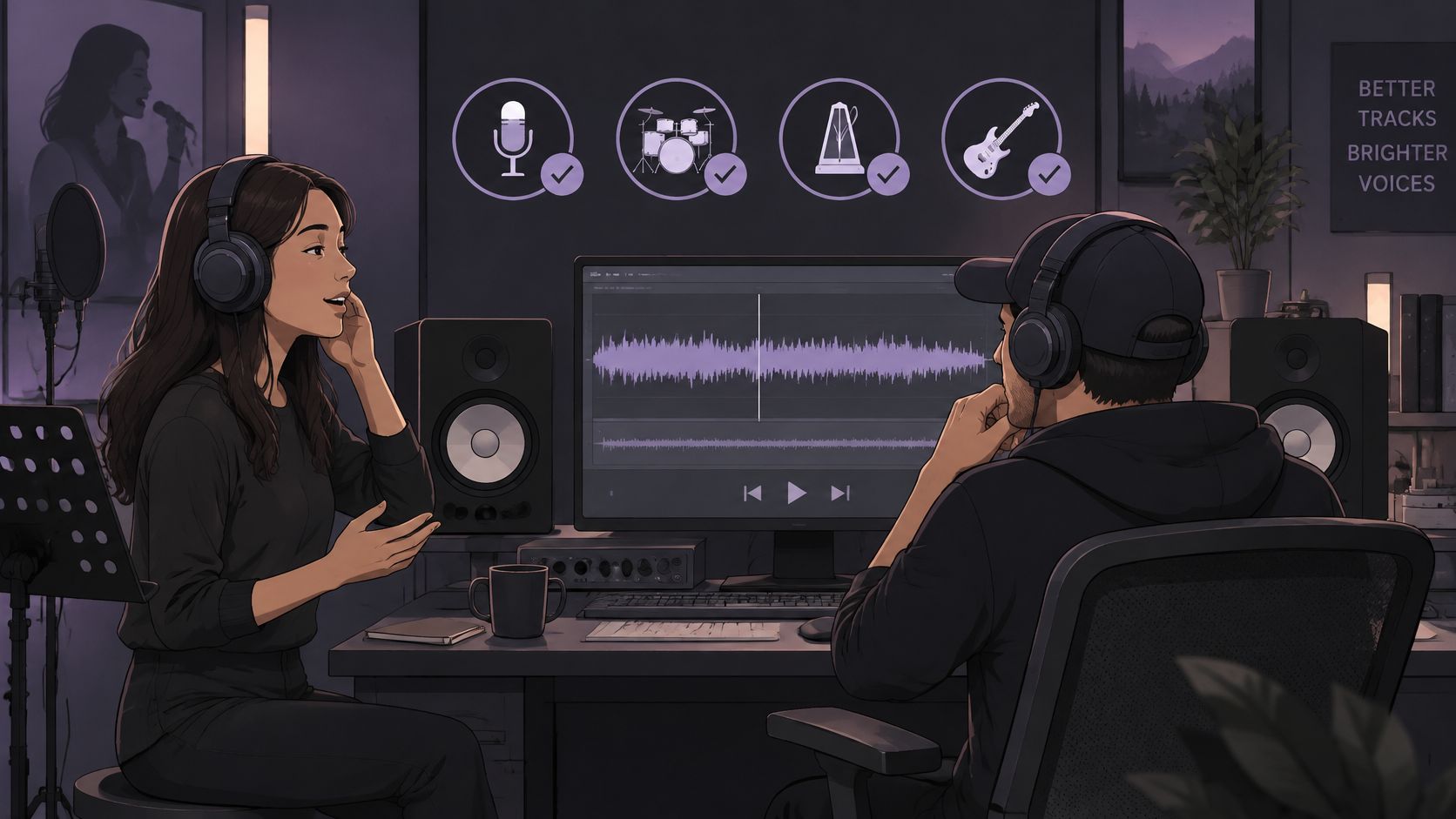
Four Criteria and Three Levels of Use
Judge four things at the volume the track will be used: whether the singer can still follow the song's structure, whether the groove and harmony hold together, whether timing cues like drum hits and chord changes stay clear, and whether artifacts stay below the level where they distract. Waveform views can't answer any of those questions. Only listening can.
| Intended use | What must hold | What can be tolerated |
|---|---|---|
| Private practice | Structure and timing cues stay followable | Small artifacts that don't block singing |
| Rough demo | A clean chorus and steady drums | Minor thinning in verses |
| Public release | Every tested passage holds in headphones and mono, plus confirmed rights | Nothing that draws attention to the processing |
The decision rule follows from the table. If the chorus and the entrance hold, the track is usable at its intended level. If drums or harmonies collapse, retry with a cleaner authorized source or choose another recording rather than pushing a damaged file into a bigger role. A stubborn section can be isolated and compared on its own, since a whole song is rarely equally separable from start to finish.
Stereo widening, crowd noise, and heavily compressed masters make artifacts more noticeable, so the cleanest authorized source deserves the first attempt. Alternate exports should be compared while the original stays preserved and unchanged, which keeps every version traceable to the same reference. Producers building a sing-along video next can follow the guide to making a karaoke video once the audio passes these checks.
Final Actions Before the Track Leaves the Studio
Downloads of separated audio require an account and sufficient credits, and the results screen shows the credit cost before the chosen WAV is downloaded. Confirm that cost, download the WAV, and keep the original file exactly as it was. A track that passes the listening sequence, fits its intended level of use, and clears the rights check is ready. A track that fails any one of those three isn't, no matter how quiet the original vocal sounds.
Ready to make karaoke tracks that hold up past the first verse? Upload an authorized recording to Saturalabs, prompt "vocals," and audition Background audio against the original at the entrance, the chorus, and the densest section before spending credits on the download.